Why Choose Cloud Migration: 2026 Business Guide

TL;DR:
- Cloud migration shifts workloads from on-premises systems to the cloud, offering scalability, cost savings, and resilience. Strategic workload management and multi-region architectures enhance operational efficiency, business continuity, and AI adoption. Measuring ROI over 12 to 36 months ensures value realization and supports informed decision-making.
Cloud migration is the process of moving workloads, applications, and data from on-premises infrastructure to cloud environments to gain agility, scalability, and cost efficiency. For business leaders and IT decision-makers, understanding why choose cloud migration is no longer optional. The NIST cloud computing framework identifies rapid elasticity and measured service as core cloud characteristics, meaning you pay for what you use and scale instantly when demand spikes. Organizations that treat migration as a strategic priority, not a one-time IT project, consistently outperform those that delay. This guide breaks down the operational, financial, and resilience benefits that make cloud adoption one of the most consequential decisions you will make in 2026.
Why choose cloud migration for operational and financial gains?
Cloud migration reduces infrastructure costs by eliminating over-provisioning and shifting organizations to a pay-per-use model. That shift alone removes the capital expense of purchasing hardware that sits idle 60–70% of the time in traditional data centers. Licensing costs drop as well, since managed cloud services bundle maintenance, updates, and support into predictable monthly fees.
Speed is the second major financial lever. Shopify's migration guidance highlights speed to market and scalability as the two primary outcomes organizations achieve after moving workloads to cloud environments. Faster deployment cycles mean your development teams ship features in days rather than weeks, which translates directly into competitive advantage and revenue.
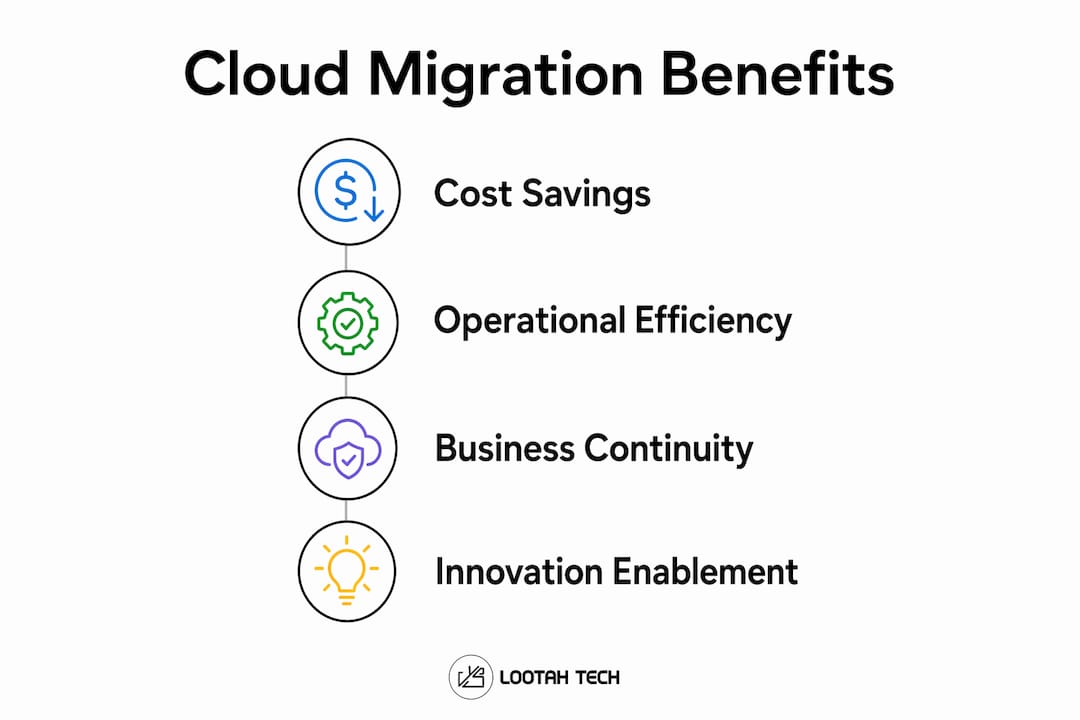
The core cloud migration benefits explained for financial decision-makers include:
- Cost reduction: Automatic scaling eliminates idle resource spend and reduces hardware refresh cycles.
- Faster provisioning: Managed services cut deployment time from weeks to hours, accelerating product launches.
- High availability: Multi-zone architectures provide uptime guarantees that on-premises setups rarely match.
- Productivity gains: IT teams shift from maintaining servers to building products, increasing output per engineer.
- Licensing savings: Cloud-native tools replace expensive perpetual licenses with usage-based pricing.
To understand how these benefits compound over time, review Yslootahtech's breakdown of cloud infrastructure optimization for performance and cost.
Pro Tip: Before calculating projected savings, benchmark your current total cost of ownership, including power, cooling, hardware depreciation, and staff time. Without that baseline, cloud ROI projections are guesses.
How does workload strategy determine migration success?
No single migration model works for every application. Shopify's 7 Rs framework provides decision criteria across four dimensions: business criticality, technical complexity, time to value, and compliance requirements. Matching each workload to the right model prevents the architectural fragmentation that derails most cloud programs.

The contrast between opportunistic and strategic migration is stark. Organizations that migrate opportunistically often encounter fragmented cloud environments and cost overruns because they move workloads without assessing how each one fits the target architecture. Strategic migration, by contrast, treats the portfolio as a set of distinct decisions, each with its own risk and return profile.
| Migration Model | Description | Ideal Use Case |
|---|---|---|
| Rehost (Lift and Shift) | Move workloads as-is to cloud infrastructure | Legacy apps with low complexity and tight deadlines |
| Replatform | Migrate with minor optimizations, no code changes | Apps that benefit from managed databases or runtimes |
| Refactor | Redesign app architecture for cloud-native services | High-value apps where performance gains justify effort |
| Repurchase | Replace existing software with a SaaS alternative | CRM, ERP, or HR systems with mature SaaS equivalents |
Practitioner migration programs use a portfolio approach, selecting from rehost, replatform, refactor, or repurchase based on technical and business factors for each workload. That discipline prevents the common trap of applying one model to every application and then wondering why costs exceeded projections.
Aligning migration decisions to business outcomes also avoids cost unpredictability. When your team knows why a workload is moving and what success looks like, governance becomes straightforward. For a broader view of how cloud adoption aligns with business strategy, Yslootahtech's guide on cloud computing for business leaders is a strong starting point.
Pro Tip: Run a workload discovery exercise before committing to any migration model. Catalog every application by its business owner, uptime requirement, and data sensitivity. That catalog becomes your migration roadmap.
What role does cloud migration play in business continuity?
Enterprise resilience is now a primary driver of cloud adoption. IDC's 2026 research confirms that IT buyers are increasing investments in multi-region cloud architectures and backup strategies, treating continuity as a board-level priority rather than an IT concern. That shift reflects hard lessons from outages, ransomware attacks, and supply chain disruptions over the past three years.
Cloud environments address continuity through architecture, not just backup tapes. Multi-region deployments distribute workloads across geographically separate data centers, so a failure in one region does not take down the entire business. Automated failover, which routes traffic away from a failed node in seconds, replaces the manual recovery processes that used to take hours.
"The question is no longer whether to migrate, but how quickly you can build the resilience architecture that cloud makes possible."
Security posture improves significantly after migration. Cloud migration enhances security by automating patch management, providing built-in redundancy, and enabling governance frameworks that are difficult to replicate on-premises. That means your security team spends less time applying patches manually and more time on threat detection and response.
Key continuity capabilities that cloud migration unlocks:
- Automated failover: Traffic reroutes to healthy regions within seconds of a detected failure.
- Point-in-time recovery: Continuous backup snapshots let you restore data to any moment before an incident.
- Compliance-ready architecture: Sovereign cloud regions and data residency controls satisfy regulatory requirements in markets like the UAE, EU, and APAC.
- Reduced recovery time: Cloud-native disaster recovery cuts recovery time objectives from hours to minutes.
For organizations managing sensitive workloads, Yslootahtech's resource on cloud security best practices covers the governance frameworks that support a strong post-migration security posture. Multi-region strategies also benefit from connecting agents across AWS, GCP, and Azure without VPN dependencies, which simplifies cross-cloud resilience architectures.
How do you quantify ROI from a cloud migration project?
Cloud migration ROI is measurable over 12–36 months, accounting for cost savings, increased revenue, risk reduction, and productivity gains. The 36-month horizon matters because the first year often absorbs migration costs, while years two and three deliver the compounding returns. Organizations that expect immediate payback frequently misread their results and underinvest in optimization.
ROI measurement fails most often because teams track infrastructure costs but ignore revenue impact. A faster deployment pipeline that ships two additional product releases per year has measurable revenue value. Reduced downtime has measurable risk value. Both belong in your ROI model.
Follow these steps to build a credible ROI case:
- Establish a pre-migration baseline. Document current infrastructure spend, downtime frequency, deployment cycle times, and staff hours spent on maintenance.
- Define ROI components. Separate cost savings (hardware, licensing, power) from revenue lift (faster time to market) and risk reduction (fewer outages, lower breach probability).
- Set measurement intervals. Track at 12, 24, and 36 months. Early results reflect migration costs; later results reflect operational gains.
- Attribute productivity gains. Measure how many engineering hours shift from maintenance to product development after migration.
- Account for optimization costs. Cloud spend requires active governance. Budget for FinOps tooling and dedicated cloud cost management resources.
- Compare against the counterfactual. Model what on-premises infrastructure would have cost over the same period, including hardware refresh, licensing renewals, and staffing.
Successful ROI depends on alignment of migration approach to business objectives and operating model. That means your CFO and CTO need to agree on what success looks like before the first workload moves. Without that alignment, ROI measurement becomes a political exercise rather than a financial one.
Key takeaways
Cloud migration delivers measurable returns only when workload strategy, business objectives, and governance are aligned from the start.
| Point | Details |
|---|---|
| Cost model shifts immediately | Moving to pay-per-use eliminates idle hardware spend and reduces licensing overhead from day one. |
| Workload strategy drives outcomes | Matching each app to rehost, replatform, refactor, or repurchase prevents cost overruns and fragmented architecture. |
| Resilience is now a board priority | Multi-region deployments and automated failover replace manual recovery processes that take hours. |
| ROI spans 12–36 months | Track cost savings, revenue lift, and productivity gains across three annual intervals for an accurate picture. |
| Security improves post-migration | Automated patching, built-in redundancy, and governance frameworks reduce operational risk significantly. |
The trap most migration programs fall into
After working with organizations across industries on digital transformation, the pattern I see most often is this: a company decides to migrate, picks the fastest path for every workload, and then wonders 18 months later why their cloud bill is higher than their old data center costs.
The problem is not cloud. The problem is treating migration as a technical exercise instead of a business decision. Every workload carries a different risk profile, a different cost structure, and a different relationship to revenue. Applying a single model to all of them is the equivalent of using the same contract terms for every vendor regardless of what they supply.
The organizations that get this right treat their application portfolio the way a fund manager treats an investment portfolio. Some assets get active management and refactoring because the return justifies it. Others get a straightforward lift-and-shift because speed matters more than optimization. A few get retired entirely because the cloud equivalent costs less and performs better.
The other trap I see regularly is ignoring resilience until after a major incident. Cloud computing trends in 2026 show that multi-region architecture is moving from a premium option to a baseline expectation. If your migration plan does not include a continuity architecture from the start, you will rebuild it under pressure after an outage. That is the most expensive way to learn the lesson.
Plan the resilience architecture before you move the first workload. It costs far less to build it in than to retrofit it later.
— YS
Cloud migration opens the door to ai-powered innovation
Once your infrastructure runs on cloud, you gain direct access to the AI and machine learning services that are reshaping how businesses operate. Yslootahtech's AI and machine learning services are built to run on cloud-native infrastructure, meaning your migration is the foundation that makes those capabilities possible.

Yslootahtech works with organizations across the UAE and beyond to design migration strategies that match workloads to the right cloud models, build resilience from day one, and position businesses to adopt AI-driven tools as soon as the infrastructure is ready. If you are evaluating your migration options or need a second opinion on your current cloud strategy, the Yslootahtech team is ready to help you build a plan that delivers results at 12, 24, and 36 months.
FAQ
What is cloud migration in simple terms?
Cloud migration is moving your applications, data, and workloads from on-premises servers to cloud environments hosted by providers like AWS, Microsoft Azure, or Google Cloud. The goal is to gain scalability, reduce costs, and improve operational resilience.
How long does a cloud migration project typically take?
Migration timelines range from a few weeks for simple rehost projects to 12–24 months for complex refactoring programs. The timeline depends on workload complexity, compliance requirements, and the migration model selected for each application.
What are the biggest risks of cloud migration?
The primary risks are cost overruns from poor workload assessment, architectural fragmentation from opportunistic migration, and security gaps during the transition period. Strategic planning and workload-by-workload decision-making reduce all three risks significantly.
How do you measure cloud migration ROI?
ROI is measured across 12–36 months by tracking cost savings, revenue lift from faster deployment, risk reduction from improved uptime, and productivity gains from reduced maintenance burden. Establish a pre-migration baseline before moving any workloads.
Why switch to cloud services instead of upgrading on-premises infrastructure?
Cloud services provide automatic scaling, built-in redundancy, and access to managed AI and analytics tools that on-premises infrastructure cannot match at equivalent cost. The NIST cloud framework identifies rapid elasticity and measured service as the two characteristics that make cloud fundamentally more cost-effective than fixed infrastructure at scale.