Mobile App Development Steps for Entrepreneurs in 2026

TL;DR:
- Mobile app development involves a seven-phase process from ideation to maintenance, each with specific deliverables that impact launch success. Entrepreneurs must prioritize security, review readiness, and thorough prototyping throughout development to avoid costly delays and rework. Proper planning, continuous testing, and aligning on metadata and security standards significantly increase the chances of a smooth app store approval and sustained user engagement.
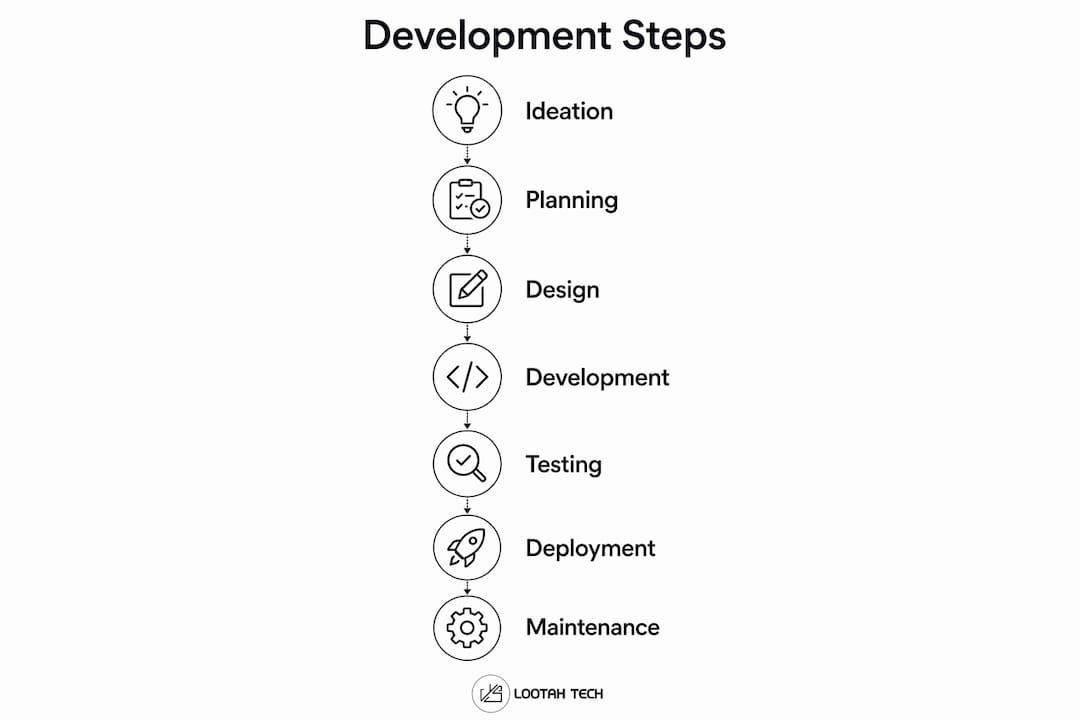
Mobile app development steps are a structured sequence of phases that transform a business idea into a fully functional, market-ready application. The app development lifecycle covers seven distinct stages: ideation, planning, UI/UX design, development, testing, deployment, and maintenance. Each phase carries specific deliverables that determine whether your app launches on time, passes app store review, and holds up under real user conditions. This guide walks you through every stage with the precision a business leader needs to make informed decisions and avoid costly mistakes.
What are the essential phases in the mobile app development process?
Mobile app development involves distinct phases including ideation, planning, design, development, testing, deployment, and maintenance, each with specific objectives. Skipping or rushing any phase compounds problems downstream. Here is what each stage actually demands from you as a decision-maker.
1. Ideation and concept validation Define the problem your app solves and identify who experiences it. Validate the concept through competitor analysis, user interviews, and market sizing before writing a single line of code. Apps that skip validation routinely build features nobody wants.
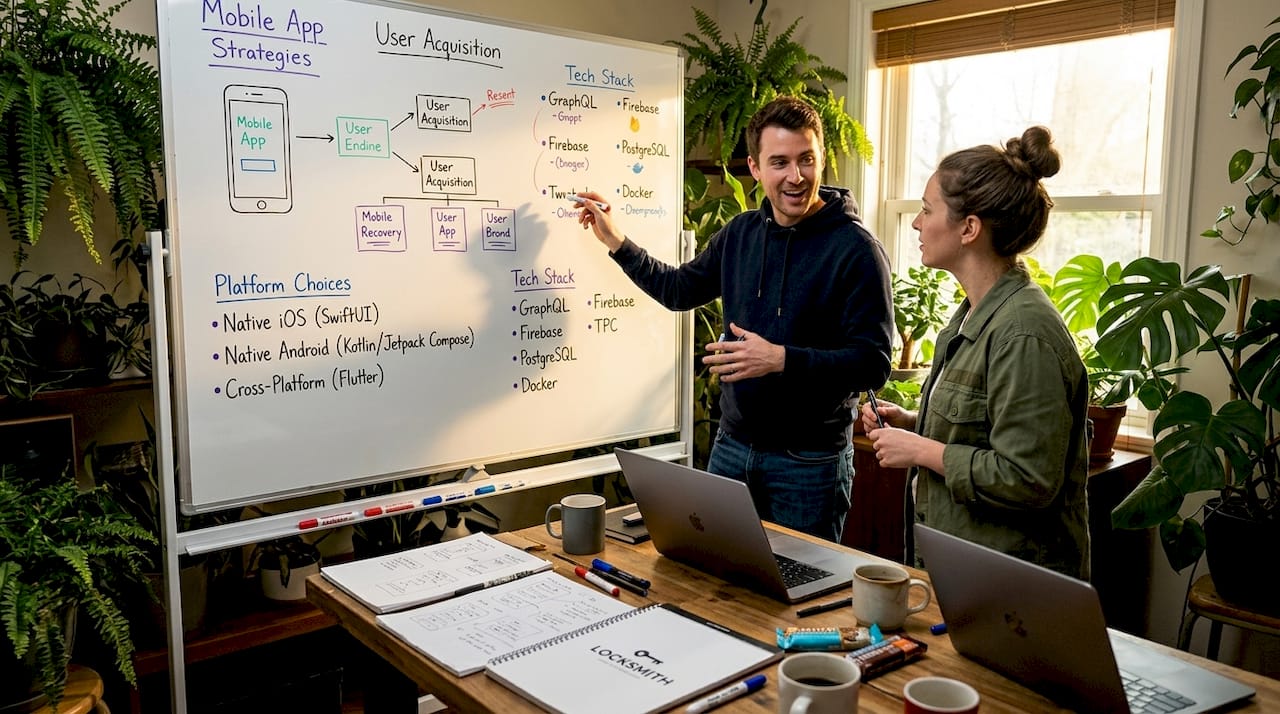
2. Planning: platform, stack, and scope Choose between iOS, Android, or cross-platform frameworks like React Native or Flutter based on your audience demographics and budget. Define your technology stack, project timeline, and resource allocation. Scope creep starts here if you do not lock requirements in writing.
3. UI/UX design: wireframing and prototyping The importance of app prototyping cannot be overstated. Wireframes map information architecture; interactive prototypes test user flows before development begins. Tools like Figma and Adobe XD let your team validate navigation logic with real users before a single screen is coded. Poor UX/UI design decisions at this stage cost three to five times more to fix after development.
4. Frontend and backend development Frontend development builds what users see and interact with. Backend development handles data storage, APIs, authentication, and business logic. Both tracks run in parallel on well-managed projects. Define API contracts early so frontend and backend teams do not block each other.
5. Testing: security, performance, and usability Testing is not a single event at the end of the project. It runs continuously from the first sprint. Cover functional testing, performance testing under load, usability testing with real users, and security testing aligned with OWASP MASVS standards.
6. Deployment and app store submission Submitting to the Apple App Store or Google Play Store requires more preparation than most entrepreneurs expect. Metadata, screenshots, privacy policy links, and demo accounts must all be complete before submission. Treat review readiness as a parallel workstream to development, not an afterthought.
7. Post-launch maintenance and iteration Apps degrade without maintenance. OS updates, new device sizes, and evolving user expectations require regular updates. Plan a maintenance budget of 15 to 20 percent of initial development cost annually.
Pro Tip: Build a release checklist that mirrors the app store review criteria from day one of your project. Teams that treat submission prep as a development deliverable launch two to three weeks faster than those who scramble at the end.
How to prepare for app store submission and avoid common review delays
App store submission is where many well-built apps stall. Apple notes that review delays often result from incomplete metadata or missing demo accounts, and that repeated guideline violations extend review times significantly. Understanding the review process before you submit saves weeks of back-and-forth.
The most common causes of rejection fall into predictable categories:
- Incomplete metadata: Missing privacy policy URLs, inaccurate app descriptions, or placeholder screenshots trigger immediate rejection.
- Non-functional demo accounts: Reviewers need working credentials to evaluate your app. If your backend is not live during review, Apple rejects the binary.
- Placeholder content: Any lorem ipsum text or unfinished UI elements signal an incomplete build.
- Broken functionality: Crashes, unresponsive buttons, or features that require unavailable hardware fail review automatically.
- Missing demo mode: For apps requiring user-generated content or social features, a functional demo mode substitutes for active accounts and prevents reviewer access issues.
Submissions must include functional app behavior and all mandatory metadata to avoid delays or rejection. Apple offers an expedited review only for genuine critical timing issues such as a bug fix tied to a major public event. Abusing this option results in denial of future expedite requests.
"Entrepreneurs should invest in 'review proof' features — completeness, demo access, and metadata — to reduce app launch delays and improve approval chances." — Apple App Review Guidelines
Pro Tip: Create a submission checklist covering privacy policy URL, demo credentials, app preview videos, age rating questionnaire, and export compliance documentation. Run through it two weeks before your target submission date, not the night before.
Which security practices should entrepreneurs prioritize during app development?
Security is the phase most entrepreneurs defer until the end. That decision is expensive. Security testing should be continuous and integrated throughout the development lifecycle rather than treated as a final checkpoint.
The OWASP Mobile Application Security Verification Standard (MASVS) provides the most widely adopted framework for mobile app security requirements. MASVS offers a structured checklist covering data storage, cryptography, authentication, and network communication, giving your team a measurable standard to verify at each sprint.
The table below maps the highest-priority security areas to the testing approach that addresses them most effectively.
| Security area | Risk level | Recommended testing approach |
|---|---|---|
| Authentication and session management | High | Dynamic analysis, penetration testing |
| Data storage (local and cloud) | High | Static analysis, manual code review |
| Network communication | High | Dynamic analysis, traffic interception |
| Cryptography implementation | Medium | Static analysis, code audit |
| Code quality and resilience | Medium | Static analysis, automated scanning |
Common high-severity issues in mobile apps arise primarily from authentication failures and insecure data storage. These two categories account for the majority of critical findings in professional security assessments. Code quality issues produce fewer critical findings but still require attention.
Static analysis tools complete scans in roughly 10 minutes but carry 15 to 25 percent false positive rates. Dynamic analysis addresses runtime behaviors that static tools miss but requires more time and expertise to execute. Combining both approaches gives you speed and thoroughness without over-relying on either method alone.
Pro Tip: Schedule a MASVS-aligned security assessment at the end of each major development sprint, not just before launch. Issues found in sprint three cost a fraction of what they cost to fix in sprint ten.
What are common challenges in mobile app development and how to overcome them?
Every app project faces predictable obstacles. Knowing them in advance lets you build mitigation strategies into your project plan rather than reacting under pressure. These are the most frequent common app development challenges entrepreneurs encounter, along with practical responses.
-
Scope creep: New feature requests accumulate after development starts, inflating timelines and budgets. Fix this with a formal change control process. Any new feature request requires written approval and a timeline impact assessment before it enters the backlog.
-
Budget overruns: Underestimating backend complexity, third-party API costs, and testing time are the leading causes. Add a 20 percent contingency buffer to your initial estimate and track burn rate weekly.
-
Platform fragmentation: Android runs on thousands of device configurations. iOS updates frequently change behavior. Test on real devices across multiple OS versions, not just simulators. Services like BrowserStack provide access to real device clouds for cross-platform testing.
-
Communication gaps between business and technical teams: Business leaders describe outcomes; developers need specifications. Use tools like Jira or Linear to translate business requirements into trackable technical tasks. Weekly sprint reviews keep both sides aligned.
-
Poor user retention after launch: An app that launches without a feedback loop stagnates. Integrate analytics tools like Mixpanel or Amplitude from day one to track user behavior, identify drop-off points, and prioritize post-launch improvements.
The future of mobile app development increasingly favors teams that build feedback loops into the product from the start rather than treating launch as the finish line. Agile development with two-week sprints, regular user testing, and a defined post-launch roadmap separates apps that grow from apps that stall.
Key takeaways
Successful mobile app development requires treating security, review readiness, and user feedback as continuous workstreams, not final-phase tasks.
| Point | Details |
|---|---|
| Follow the full lifecycle | All seven phases from ideation to maintenance carry specific deliverables that affect launch success. |
| Prioritize prototyping early | Figma or Adobe XD prototypes validate user flows before development begins, reducing costly redesigns. |
| Treat submission prep as a deliverable | Complete metadata, demo accounts, and privacy links must be ready in parallel with development. |
| Integrate security from sprint one | MASVS-aligned testing at each sprint catches authentication and data storage issues before they compound. |
| Plan for post-launch iteration | Budget 15 to 20 percent of development cost annually for maintenance, updates, and user-driven improvements. |
What I've learned building apps for business leaders
After working with entrepreneurs across fintech, e-commerce, and digital health, one pattern stands out clearly. The teams that struggle most are not the ones with the weakest technical skills. They are the ones who treat security and app store submission as someone else's problem until the last week of the project.
Most business leaders I work with assume their development agency handles everything. The reality is that metadata completeness, demo account setup, and MASVS compliance require decisions that only the business owner can make. Who owns the privacy policy? What data does the app collect? What credentials will Apple's reviewer use? These are not technical questions. They are business questions that land on your desk.
The other pattern I see consistently is underinvestment in prototyping. Entrepreneurs want to move fast, so they skip Figma wireframes and go straight to code. Three months later, they are paying to rebuild navigation flows that a two-week prototype phase would have caught for a fraction of the cost. The business case for mobile apps is strong, but only when the foundation is built correctly.
My honest recommendation: treat your app store submission checklist and your MASVS security baseline as non-negotiable project deliverables from day one. Both will save you more time and money than any shortcut you take to avoid them.
— YS
Build your app with Yslootahtech
Yslootahtech delivers end-to-end application development services for entrepreneurs and business leaders across Dubai and beyond. From concept validation and Figma prototyping through backend architecture, security testing, and app store submission, the team manages every phase of the mobile app development process under one roof.

Yslootahtech's portfolio spans fintech platforms, digital health products, e-commerce solutions, and industrial management tools, giving your project the benefit of cross-industry experience. The team also provides dedicated UX/UI design services to ensure your app meets both user expectations and Apple and Google review standards. If you are ready to move from idea to launched product without the delays that sink most first-time app projects, Yslootahtech is the partner built for that work.
FAQ
What are the main mobile app development steps?
The core steps are ideation, planning, UI/UX design, frontend and backend development, testing, deployment, and post-launch maintenance. Each phase has specific deliverables that feed directly into the next.
How long does the mobile app development process take?
A standard business app takes four to nine months from concept to launch, depending on complexity, platform choice, and how prepared the team is for app store submission. Security testing and review preparation add time when not planned in advance.
Why does app store review get delayed?
Apple rejects submissions most often due to incomplete metadata, missing demo accounts, non-functional features, or placeholder content. Preparing all submission materials as a parallel workstream during development prevents most delays.
What security standard should entrepreneurs use for mobile apps?
OWASP MASVS is the recognized industry standard for mobile app security requirements. It covers authentication, data storage, cryptography, and network communication with measurable controls your team can verify at each development sprint.
How much does post-launch maintenance cost?
Plan for 15 to 20 percent of your initial development budget annually to cover OS compatibility updates, security patches, performance improvements, and feature iterations based on user feedback.