Why choose custom software: unlock efficiency and growth

TL;DR:
- Custom software aligns exactly with business workflows, boosting efficiency and scalability.
- Off-the-shelf solutions often lead to higher long-term costs and integration challenges.
- Successful implementation depends on ongoing alignment, iteration, and internal adoption strategies.
Business leaders often assume that off-the-shelf software is the smart, cost-effective choice. The reality? Generic tools frequently create friction, workarounds, and bottlenecks that quietly drain productivity. A 74% efficiency boost seen by UAE businesses using custom solutions tells a different story. When your software is built around your actual workflows instead of forcing your team to adapt to someone else's logic, everything moves faster. This article breaks down exactly why custom software outperforms generic alternatives, what the hidden risks of off-the-shelf tools really are, and how to decide whether a tailored solution is the right move for your organization.
Table of Contents
- Understanding custom software vs. off-the-shelf solutions
- Core benefits of choosing custom software
- Pitfalls of generic solutions: Hidden costs and long-term risks
- Is custom software right for your business? Decision framework
- Custom software: Lessons learned from real-world implementation
- Ready to unlock growth with a tailored software solution?
- Frequently asked questions
Key Takeaways
| Point | Details |
|---|---|
| Custom vs. generic | Custom software aligns precisely with your processes, while generic tools may leave critical gaps. |
| Efficiency gains | Tailored solutions can boost business efficiency by up to 74 percent compared to off-the-shelf options. |
| Hidden costs | Generic software may seem cheaper but can lead to expensive integration, compliance, and scaling problems. |
| Decision process | Use a structured framework to decide if custom software matches your business needs and ambitions. |
Understanding custom software vs. off-the-shelf solutions
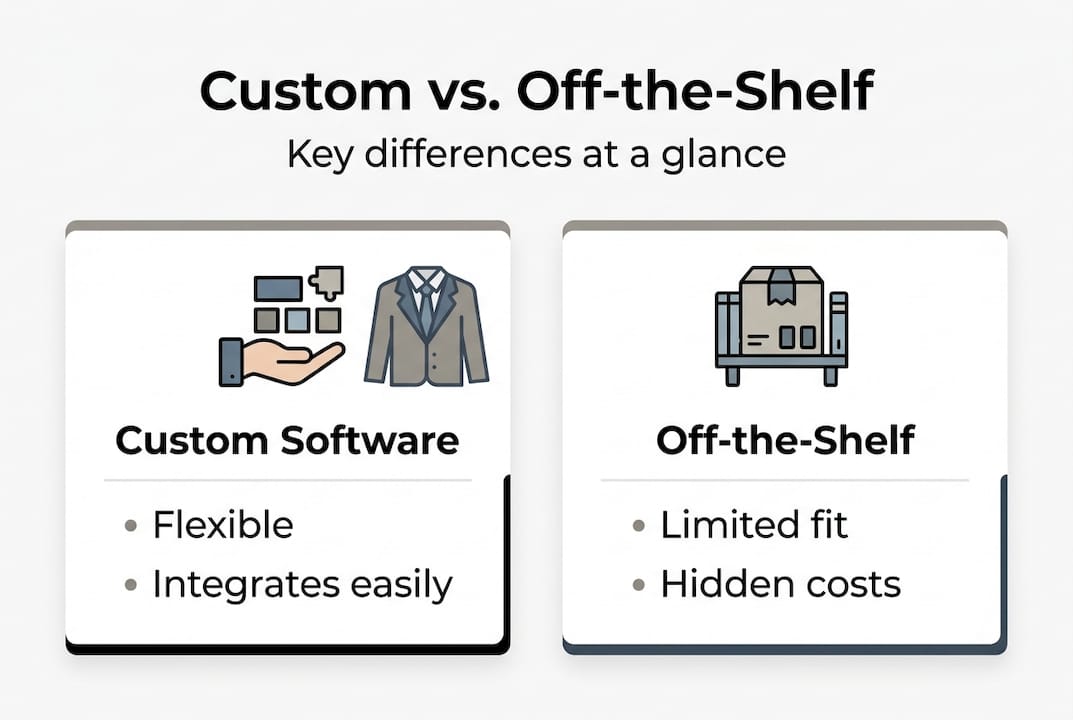
Before evaluating options, it helps to be precise about what we mean. Custom software defined is any application built specifically for one organization's workflows, goals, and users. Off-the-shelf software, by contrast, is a pre-built product designed to serve a broad market. Think accounting platforms, CRM tools, or project management apps that work reasonably well for most companies but perfectly for almost none.
The core differences come down to four factors: flexibility, long-term cost, integration capability, and scalability. Off-the-shelf tools are cheaper upfront and faster to deploy, but they often require expensive add-ons, workarounds, or manual data transfers to fill gaps. Custom software costs more at the start but fits your processes from day one. The enterprise application advantages become especially clear when you factor in reduced training time, fewer errors, and smoother integrations across your tech stack.
| Factor | Custom software | Off-the-shelf software |
|---|---|---|
| Upfront cost | Higher | Lower |
| Long-term ROI | Strong | Variable |
| Workflow fit | Exact match | Approximate |
| Scalability | Built-in | Often limited |
| Integration | Designed for your stack | May require middleware |
| Security control | Full | Shared/vendor-managed |
Off-the-shelf tools make sense in specific situations. Here is when they are typically a reasonable fit:
- Your business is in an early stage and processes are still evolving
- The function is standard across industries (basic email, file storage, payroll)
- Budget constraints make a phased approach necessary
- Speed of deployment is the top priority
However, off-the-shelf solutions start to fall short the moment your operations become complex, regulated, or differentiated. If your competitive advantage depends on how you serve customers or manage data, a generic tool will always be a ceiling, not a launchpad.
Core benefits of choosing custom software
So what makes custom software worth the investment? The answer is not just about features. It is about alignment between what your business needs and what your tools actually do.
Faster workflows are the most immediate benefit. When software mirrors your processes, employees spend less time navigating menus designed for other industries and more time doing the actual work. Better decision-making follows because custom dashboards and reporting tools surface the data your leaders actually need, not generic metrics that require interpretation. Tailored integrations mean your CRM, ERP, and operational tools communicate without manual exports or third-party connectors.

| Business benefit | Where it shows the greatest ROI |
|---|---|
| Workflow automation | Operations and logistics |
| Custom reporting | Executive decision-making |
| System integration | Finance and data management |
| Scalable architecture | Fast-growing or seasonal businesses |
| Security customization | Healthcare, fintech, legal sectors |
Here are three specific stages where custom software creates measurable operational impact:
- Process design: Software built around your existing workflows eliminates redundant steps and reduces human error from the start.
- Data flow: Custom integrations connect your systems so information moves automatically, cutting manual entry and reporting delays.
- Scaling: As your team or customer base grows, custom software expands with you rather than forcing you to migrate to a new platform.
The numbers back this up. Businesses in the UAE that shifted to purpose-built tools saw 74% greater process efficiency compared to those relying on generic alternatives. If you want to optimize your business at a structural level, software that fits your model is not optional. It is foundational. A solid digital transformation roadmap will almost always include custom tooling as a core component.
Pitfalls of generic solutions: Hidden costs and long-term risks
Understanding the positives is essential, but knowing what you risk by settling for generic tools is just as important. The problems with off-the-shelf software rarely show up on day one. They surface over time, as your business grows and the gaps between what the tool does and what you need widen.
Here are the most common hidden shortcomings decision-makers encounter:
- Integration failures: Generic tools often require expensive middleware or manual workarounds to connect with your existing systems
- Security gaps: Shared platforms mean shared vulnerabilities. You depend on a vendor's patch schedule, not your own security posture
- Feature bloat with missing essentials: You pay for dozens of features you never use while the one capability your team needs is missing or locked behind a higher tier
- Vendor lock-in: Migrating away from a deeply embedded platform later is costly and disruptive
- Compliance risk: Regulated industries often find that generic tools cannot meet specific data handling or reporting requirements
Generic software fails during digital transformation efforts at a strikingly high rate, often because the tool cannot adapt fast enough to match evolving business requirements.
The transformation challenges are real and well-documented. Organizations that try to run a digital transformation on a foundation of mismatched generic tools often find themselves rebuilding from scratch within two to three years. That is an expensive lesson. Pairing your transformation with effective digital strategies from the beginning saves both time and money.
Pro Tip: Watch for these warning signs that your business has outgrown its current software. Your team maintains multiple spreadsheets alongside the tool to fill gaps. Reports require manual cleanup before leadership can use them. New hires take weeks to learn workarounds instead of the actual process. Any one of these signals that the software is working against you, not for you.
Is custom software right for your business? Decision framework
To determine whether custom software is a fit, here is a practical framework you can apply directly. This is not about budget alone. It is about strategic alignment.
- Audit your current pain points: List every process where your team uses workarounds, manual steps, or separate tools to compensate for software limitations. These gaps are your starting point.
- Define your non-negotiables: Identify which workflows directly affect customer experience, revenue, or compliance. If generic tools cannot handle these without compromise, custom is likely the answer.
- Assess your growth trajectory: If you expect to double your team, expand to new markets, or add product lines within three years, build for that scale now. Retrofitting software later is far more expensive.
- Evaluate regulatory requirements: Industries like healthcare, finance, and logistics often have data handling and reporting obligations that off-the-shelf platforms simply cannot meet without costly customization anyway.
- Measure change readiness: Custom software requires internal champions, clear requirements, and a team willing to provide feedback during development. If your organization resists change, plan for that before the project starts.
Workflow optimization steps are key to maximizing impact from any custom solution. The software itself is only half the equation. How your team adopts and uses it determines the actual return. Businesses that pursue digital solutions for growth with a clear internal adoption plan consistently outperform those that treat rollout as an IT project rather than a business transformation.
Pro Tip: Assign a business-side owner to the custom software project, not just a technical lead. The people who understand the daily workflows should drive the requirements. When IT and operations collaborate from day one, the final product actually solves the right problems.
Custom software: Lessons learned from real-world implementation
After working through decision frameworks and ROI tables, here is something most guides skip: the biggest reason custom software projects fail has nothing to do with the technology.
The most common misconception is that custom means complex. In practice, the best custom software is often simpler than the off-the-shelf alternative because it only does what your business actually needs. Stripping away irrelevant features is a feature in itself.
What separates successful adopters from those who struggle is alignment. Not alignment between departments, though that matters too. We mean alignment between what leadership believes the software should do and what the people using it daily actually need. When those two things are out of sync, even the most technically sophisticated system fails at adoption.
The organizations that get the most from custom software treat it as a living product, not a one-time purchase. They schedule regular reviews, collect user feedback, and iterate. That mindset, not the initial build, is what drives the real software results you read about in case studies. Simplicity, alignment, and iteration. Those three principles outperform budget and timeline every time.
Ready to unlock growth with a tailored software solution?
You now have a clear picture of what custom software can do and what it takes to get there. The next step is putting that knowledge into action.
At YS Lootah Tech, we build purpose-driven digital solutions that fit your actual business, not a generic template. Whether you need end-to-end Application Development services that mirror your workflows, intelligent automation through AI and Machine Learning, or enterprise-grade data protection solutions built for your compliance requirements, we bring the technical depth and industry experience to deliver. Let us help you move from workarounds to a system that actually works for your team and your growth goals.
Frequently asked questions
What industries benefit most from custom software?
Highly regulated, rapidly growing, or customer-centric industries see the biggest gains. Custom software is especially common in healthcare, fintech, logistics, and retail, where unique workflows and compliance requirements make generic tools a poor fit.
How long does it take to develop custom software?
Typical timelines range from a few months to a year, depending on project scope and complexity. Workflow optimization and clear requirements upfront significantly reduce development time and revision cycles.
Can custom software integrate with my current systems?
Yes. Custom software is specifically designed to connect with your existing tools and infrastructure. Custom applications can tailor integrations for unique business environments, eliminating the middleware workarounds that generic platforms often require.
How do costs compare between custom and off-the-shelf software?
Custom software carries higher upfront costs, but it typically delivers better long-term ROI by eliminating inefficiencies and avoiding the recurring costs of add-ons, workarounds, and eventual migration. Custom solutions consistently show greater returns in efficiency and scaling over a three to five year horizon.