IT automation's strategic role in maximizing efficiency

TL;DR:
- IT automation in 2026 goes beyond scripting to orchestrate complex workflows across hybrid environments, delivering measurable business value.
- Effective automation enhances service speed, reduces errors, and shifts IT roles towards strategic oversight and governance.
Executives who assume IT automation is just about running scripts faster are leaving serious competitive advantage on the table. Automation in 2026 has evolved into a force that reshapes operating models, realigns workforce responsibilities, and drives measurable business outcomes at scale. Organizations that treat automation purely as a technical exercise tend to capture only a fraction of its value. This guide cuts through that misconception, walking you through what modern IT automation actually means, what it delivers for your business, how it changes your team's roles, and what pitfalls you need to avoid before your next major initiative.
Table of Contents
- What does IT automation really mean in 2026?
- Core business value: Efficiency, reliability, and transformation
- How automation reshapes IT roles and operating models
- Real-world complications: Integration, costs, and compliance
- Perspective: IT automation is not plug-and-play—it's a business transformation
- Ready to accelerate your automation journey?
- Frequently asked questions
Key Takeaways
| Point | Details |
|---|---|
| True IT automation | It goes beyond scripting to transform workflows, roles, and business value. |
| Strategic business gains | Automation directly improves IT efficiency, reliability, and scalability. |
| Workforce transformation | IT teams shift to orchestration, governance, and exception management roles. |
| Practical pitfalls | Integration, compliance, and training challenges remain the most common barriers. |
What does IT automation really mean in 2026?
Most IT leaders grew up thinking automation meant scheduled scripts, batch jobs, and maybe some robotic process automation (RPA) to handle repetitive data entry. That definition is now dangerously outdated. Today, IT automation refers to the use of technology to coordinate, execute, and monitor IT tasks and workflows across complex, hybrid environments, with minimal human intervention at the task level and maximum human oversight at the governance level.
The shift from "scripts" to full-scale orchestration is the critical evolution here. Where a script replaces a single manual step, orchestration coordinates dozens of interdependent workflows across cloud platforms, on-premise systems, security tools, databases, and business applications. According to Gartner Peer Insights, service orchestration and automation platforms, commonly called SOAPs, "coordinate and automate workloads, resource provisioning, and workflows across hybrid IT landscapes to improve operational efficiency and business-service delivery." That language matters: hybrid, business-service delivery, and operational efficiency are not IT concepts alone; they are executive-level concerns.
The core capabilities of modern IT automation
| Capability | What it replaces | Business impact |
|---|---|---|
| Workload automation | Manual job scheduling | Faster processing, fewer errors |
| Cross-environment orchestration | Siloed departmental scripts | Unified workflows across cloud and on-premise |
| Resource provisioning | IT tickets and manual server setup | Minutes instead of days for new environments |
| Compliance and audit trails | Spreadsheet-based logging | Real-time visibility and regulatory readiness |
| Business service delivery | IT-only back-end workflows | End-to-end digital services for customers |
The future of cloud computing is inseparable from this orchestration layer. As workloads spread across public clouds, private infrastructure, and edge environments, automation becomes the connective tissue that holds everything together. Without it, you end up with fragmented systems, duplicated efforts, and a team that spends most of its time firefighting rather than building.
Key differentiators that separate modern IT automation from older approaches include:
- Workflow integration: Automation connects to business applications like ERP, CRM, and ITSM platforms, not just infrastructure tools
- Auditability: Every action is logged, timestamped, and traceable, critical for regulated industries
- Scalability: Orchestration platforms grow with your workload without requiring proportional headcount increases
- Exception handling: When something breaks, the system routes the exception to the right human, rather than silently failing
Understanding cloud computing trends can help you see where automation fits into a broader modernization roadmap. Exploring smart solutions for business efficiency also provides a solid grounding in how these systems connect to real operational outcomes.
"The question is no longer whether to automate, but how to orchestrate automation across your entire service delivery chain."
Core business value: Efficiency, reliability, and transformation
Once you understand what IT automation actually is, the business case becomes compelling very quickly. Automation and orchestration platforms improve operational efficiency and business-service delivery in ways that matter to finance, operations, and customer-facing teams, not just IT.
Here is what organizations consistently report after implementing end-to-end orchestration:
- Faster service delivery. Provisioning a new cloud environment that used to take 3 to 5 days through manual ticketing can drop to under 30 minutes when automated provisioning workflows are in place.
- Reduced human error. Manual processes introduce errors at every hand-off point. Automated workflows follow consistent, documented logic every single time, dramatically cutting incidents caused by misconfiguration or overlooked steps.
- Improved system uptime. Automated monitoring and remediation can detect and fix common failure patterns before they cascade into outages, often without any human needing to wake up at 2 a.m.
- Freed IT capacity for strategic work. When routine tasks run automatically, skilled engineers focus on architecture, innovation, and projects that actually differentiate your business.
- Scalability without proportional cost increases. A team of 15 can support a much larger infrastructure footprint when automation handles the operational overhead.
Before vs. after: What automation changes
| Metric | Before automation | After automation |
|---|---|---|
| Average provisioning time | 3 to 5 business days | Under 1 hour |
| Incidents from manual errors | High frequency | Significantly reduced |
| IT staff hours on routine ops | 60 to 70 percent | Under 30 percent |
| Audit preparation time | Weeks | Days or hours |
| New service deployment cycle | Months | Weeks |
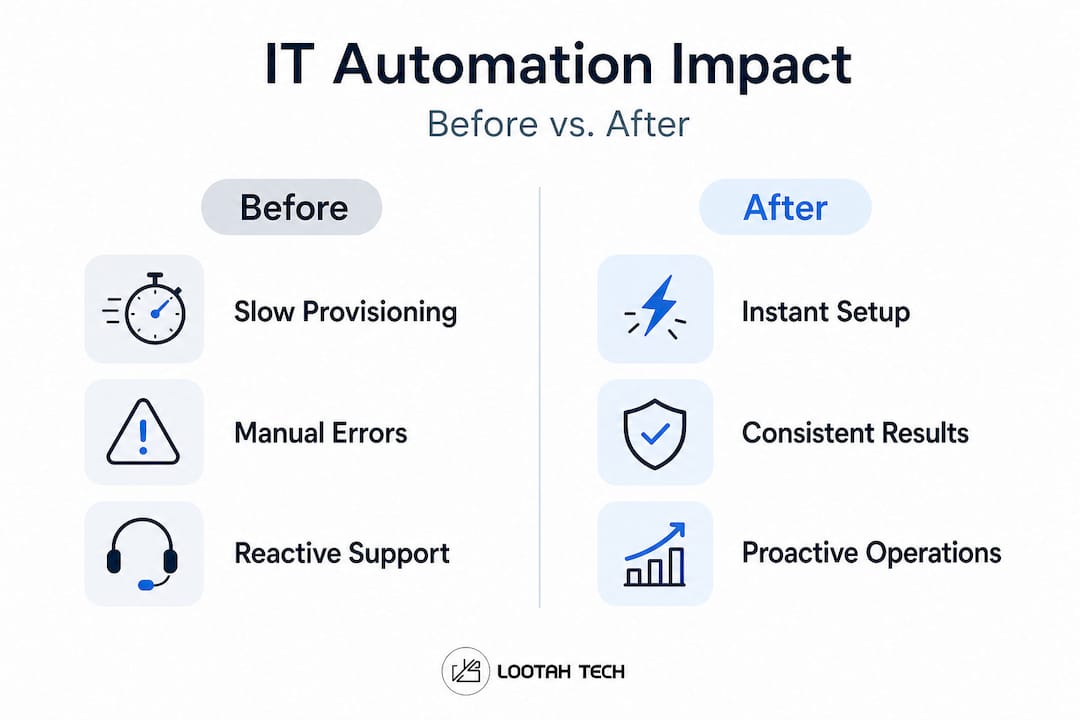
Following innovative tech strategies that your competitors are already exploring makes this data harder to ignore. Organizations that delay orchestration adoption are not just missing efficiency gains; they are accumulating what engineers call "operational debt," the invisible cost of maintaining manual processes at scale.
Pro Tip: Don't evaluate automation tools in isolation. The real value comes from end-to-end orchestration that connects your IT operations to business service delivery. A tool that automates one step in a ten-step process saves time; a platform that orchestrates all ten delivers transformation.
The strategic advantage here is also cultural. When your IT team stops spending the majority of its time on reactive, repetitive work, morale and retention improve. Engineers who came into the field to solve complex problems get to actually do that. For guidance on modernizing IT infrastructure, the shift toward automation is a foundational step, not a finishing touch.
How automation reshapes IT roles and operating models
Here is an uncomfortable truth most automation vendors won't put in their sales deck: the technology is the easy part. The organizational change is where most projects either succeed or quietly stall.

As noted by researchers covering IT workforce dynamics, "automation changes IT workforce dynamics: it can move roles from manual operators toward orchestration and oversight, where humans become accountable for guardrails, governance, and exception handling rather than step-by-step execution." That is a fundamentally different job description, and it requires a fundamentally different kind of leadership response.
What does this shift look like in practice? Consider a network operations team that historically spent 60 percent of its time manually executing configuration changes. After deploying orchestration workflows, those same engineers are now responsible for:
- Designing and validating automation logic before it runs in production
- Monitoring exception queues and investigating unexpected workflow failures
- Defining governance rules that determine what the system can and cannot do autonomously
- Reviewing audit logs for compliance reporting and incident forensics
- Collaborating with business units to automate cross-functional workflows
That is not a downgrade. It is a promotion in disguise, provided you invest in training and create the right accountability structures.
The challenge many organizations face is assuming that automation will essentially run itself once deployed. It won't. Automation needs ongoing review, refinement, and governance. Workflows that made sense six months ago may no longer reflect your current infrastructure or regulatory environment. Someone needs to own that.
Leadership implications are significant. Executives must designate clear ownership for automation governance, often creating new roles like Automation Lead or Platform Operations Manager. They also need to build cross-department alignment, because the most impactful automation workflows cross the boundaries between IT, finance, HR, and customer operations.
Reviewing optimizing software workflows can help teams think about how automation governance fits into broader development and delivery practices.
A practical perspective from IT automation research confirms this directly: the most successful executive pattern is to treat automation as "a workflow and operating-model change with governance and auditability, not just as more scripts." Success depends on end-to-end orchestration and controlled execution across multiple systems, not on deploying the most sophisticated tool you can find.
Pro Tip: Create a formal automation governance charter before you deploy anything significant. It should define who can approve new automation workflows, how changes are tested and rolled back, and how the system is audited. Skipping this step is the single most common reason automation projects underdeliver.
Real-world complications: Integration, costs, and compliance
No guide to IT automation would be complete without an honest account of where things go wrong. And they do go wrong, often in ways that were entirely preventable.
Research from InformationWeek captures the expert consensus clearly: "IT automation can fail or stall due to hidden costs, integration complexity, training gaps, and governance and regulatory requirements, including privacy and transparency obligations." That is a rich list, and every item on it has torpedoed real projects at real organizations.
Here is an executive-level checklist for minimizing risk before you commit to a major automation initiative:
- Map your integration landscape first. Understand which systems the automation platform must connect to, including legacy applications, and validate that the vendor supports those integrations without expensive custom development.
- Build a total cost of ownership model. Licensing is just the start. Factor in implementation services, internal training, ongoing maintenance, and the cost of governance tooling.
- Identify regulatory requirements upfront. Depending on your industry and geography, automated processes may need to meet specific transparency, data residency, or audit requirements. Discover this before you architect the solution, not after.
- Avoid vendor lock-in traps. Some platforms make it technically difficult or financially painful to switch providers. Look for open standards and portability when evaluating tools.
- Plan for the training gap. Your team will need new skills. Budget for this explicitly, not as an afterthought.
- Establish a rollback protocol. Every automated workflow should have a documented manual fallback process in case the automation fails unexpectedly.
"The organizations that struggle most with automation are not those that lack technology; they are those that lack governance."
Integration complexity, sometimes called "integration spaghetti," is particularly dangerous. When automation platforms connect to dozens of systems through a mix of native connectors, custom APIs, and middleware layers, a single upstream change can break multiple downstream workflows simultaneously. Mapping these dependencies before you build is essential, not optional.
Compliance is another area where executives consistently underestimate the work involved. Automated processes that handle personal data, financial transactions, or health records need to meet the same regulatory standards as manual processes, sometimes stricter ones, because regulators expect automated systems to have documented logic and consistent behavior.
Your cybersecurity workflow strategy must integrate with your automation governance framework. Automated workflows that have elevated privileges are attractive targets for attackers and need appropriate access controls and monitoring. Reviewing data protection guidance and engaging IT consulting services early in the design process can prevent costly architectural mistakes.
Pro Tip: Prioritize vendors and platforms with built-in compliance reporting, not just execution logs. The ability to generate a clear, readable audit trail on demand is a feature that will matter enormously when your next regulatory review arrives.
Perspective: IT automation is not plug-and-play—it's a business transformation
After working with organizations across industries on digital transformation projects, we see the same pattern repeat itself with uncomfortable regularity. A leadership team gets excited about automation, a vendor demonstrates an impressive demo, a platform gets purchased, and six months later the project is delivering maybe 20 percent of the expected value. What went wrong? Almost never the technology.
The persistent myth in this space is that automation can be delegated entirely to the IT department and evaluated on purely technical metrics. That framing kills value before the project even starts. The real question is not "Can we automate this process?" but "How does automating this process change how we serve our customers, manage our risk, and develop our people?" That is a leadership question, not a technology question.
We would argue that the single biggest predictor of automation success is whether it sits on the executive agenda or the IT project backlog. When C-suite leaders treat automation as a strategic initiative with cross-functional ownership, accountability, and regular review, outcomes are dramatically different than when it is treated as a technical upgrade that runs in the background.
The "set and forget" fantasy is equally damaging. Automation workflows require active ownership. Business requirements change, regulatory environments shift, and systems evolve. An automation workflow built on last year's assumptions can quietly become a liability. Executives who invest in automation need to build in a regular review cadence, just as they would for any other operational process.
Following strategic innovation insights that connect automation to broader business strategy will help leadership teams frame these conversations correctly. The organizations getting the most from automation are not necessarily the ones with the most sophisticated technology. They are the ones where leadership treats automation as an ongoing business capability, not a one-time project.
Ready to accelerate your automation journey?
Translating automation strategy into working systems requires the right technology foundation, and that is where the right development partner makes a meaningful difference.

At YS Lootah Tech, we help organizations move from automation ambition to operational reality. Whether you need application development solutions that connect your business systems into unified automated workflows, website development services that surface automation-driven data to your customers and stakeholders, or UX/UI design offerings that make complex automation visible and usable, our team brings deep expertise in building the digital infrastructure that makes automation actually work. If you are ready to move beyond scripts and into genuine business transformation, let's talk. Reach out for a discovery session and walk away with a clear picture of your automation opportunity.
Frequently asked questions
What are common pitfalls when adopting automation in IT?
The most frequent challenges include integration complexity, hidden costs, training gaps, and regulatory compliance barriers. IT automation can fail or stall specifically when governance and privacy obligations are overlooked during planning.
How does automation affect IT workforce roles?
Automation shifts technicians from manual operations to roles centered on orchestration, oversight, and governance. Research confirms that IT workforce roles move from step-by-step operators to accountable guardians of automated systems.
What is the difference between automation and orchestration in IT?
Automation focuses on individual task execution, while orchestration coordinates tasks and resources end-to-end across multiple systems. SOAPs coordinate workloads, resource provisioning, and workflows together, which is fundamentally different from running isolated automated tasks.
Are there regulatory risks with IT automation?
Yes, improper automation can create compliance gaps, especially around privacy, transparency, and data handling. Governance and regulatory requirements, including privacy and transparency obligations, are among the top reasons automation projects stall or fail.