2.5s LCP to 170KB: Enforce Web Performance Budgets in CI for Dev Teams

A web performance budget is a short list of measurable limits, like page weight, load timing, or request count, that a team agrees not to cross without a conversation first. Set one timing metric and one size metric today, wire both into your CI pipeline, and revisit them every two to four weeks. That combination catches regressions before users do.
TL;DR:
- Setting realistic thresholds based on two to four weeks of real user data prevents teams from chasing unattainable or irrelevant performance targets.
- Enforcing budgets in the CI/CD pipeline with tools like Lighthouse CI and setting warning and error thresholds helps prevent regressions without causing workflow disruptions.
- Prioritizing timing budgets for critical pages and file-size budgets for general control ensures a balanced focus on user experience and technical constraints.
- Monitoring real user data over time and using synthetic tests together improves the identification and debugging of performance regressions effectively.
- Assigning clear ownership and revisiting budgets regularly keeps the performance budget program practical and integrated into team workflows.
Table of Contents
- What Is a Web Performance Budget?
- How Do You Choose Metrics and Set Thresholds?
- Translating Timing Goals Into File-Size Budgets
- How Do You Enforce Budgets in CI/CD?
- Monitoring in Production: RUM, Synthetic Tests, and Alerts
- Making Performance Budgets Stick Across the Team
- What YS Lootah Tech Sees Working on Real Projects
- Where Teams Get Performance Budgets Wrong
- Let Yslootahtech Turn Your Budgets Into Enforced Code
- Sources
What Is a Web Performance Budget?
A performance budget is a threshold your team refuses to exceed silently. It gives "make the site fast" a number attached to it, which is the difference between a wish and an engineering requirement. Most teams organize budgets into three categories, a framework laid out clearly in Web.
- Milestone timing budgets: Largest Contentful Paint under a recommended threshold, Time to Interactive under a recommended threshold.
- Quantity-based budgets: total JavaScript under a recommended size, image weight under a recommended size, limited number of requests.
- Rule-based budgets: Lighthouse performance score above a strong benchmark, minimal render-blocking third-party scripts below the fold.
Timing budgets map to what users actually feel. Quantity budgets map to what engineers actually control. A checkout page benefits most from strict timing budgets since delay there costs revenue directly, while a marketing blog benefits more from quantity budgets that keep bloated CMS plugins in check. Combine both types on your top revenue pages. Relying on one type alone leaves either the user experience or the technical root cause unaddressed, a gap MDN's performance budget documentation calls out directly.
How Do You Choose Metrics and Set Thresholds?
Start by measuring before you set anything. Pull two to four weeks of real user monitoring and synthetic test data on your key pages, then use the median and 75th percentile as your baseline, not your goal. Guessing a threshold without a baseline is how teams end up chasing numbers nobody can actually hit.
- Pick metrics tied to user goals, not vanity scores. Core Web Vitals (LCP, CLS, INP), Time to Interactive, and Long Tasks count reflect real friction better than an arbitrary Lighthouse number.
- Apply the 20% rule. Find the fastest comparable competitor and set your target at least 20% faster, since anything smaller than that gap is barely perceptible to users, according to Web.
- Split budgets by device class. Mobile CPUs and networks are far more constrained than desktop, and with mobile devices driving well over half of global web traffic, a budget that only accounts for desktop is testing the wrong reality for most visitors.
- Tighten budgets on critical pages. Checkout, signup, and landing pages should carry stricter limits than a support article buried three clicks deep.
Pro Tip: Don't set a budget on every metric you can measure. Pick the two or three that correlate with conversion or bounce data on that specific page, and ignore the rest until those are under control.
Translating Timing Goals Into File-Size Budgets
Timing metrics tell you what users experience. File-size budgets tell your team what to actually build against, and PageSpeed Insights reports field data at the 75th percentile, so a "passing" budget means three out of four visits meet it, not all of them.
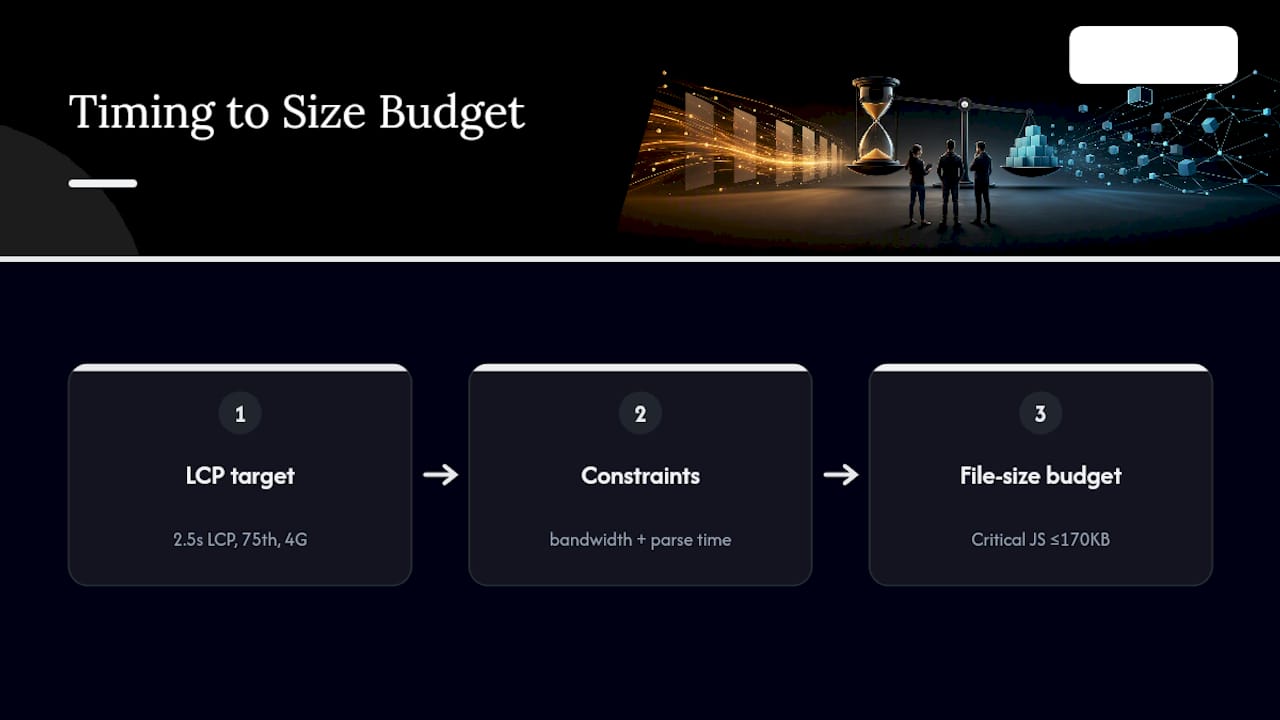
Here's a worked example: a team targets a 2.5 second LCP at the 75th percentile on 4G mobile. Working backward through typical mobile bandwidth and parse time, that timing goal generally forces critical-path JavaScript under roughly 170KB compressed, per the size baselines in web.dev's first performance budget guide.
How Do You Enforce Budgets in CI/CD?
Budgets that live only in a wiki page get ignored the first time a sprint runs long. Enforcement has to sit in the workflow developers already use.
- Local: bundler plugins (webpack bundle analyzer, bundlesize) flag oversized imports before a commit even happens.
- CI on pull request: run Lighthouse CI or a Sitespeed.io script against a preview build, failing the check if budgets are breached.
- Staging synthetic tests: full WebPageTest or Sitespeed.io runs against a realistic network throttle before merge to main.
- Production RUM: ongoing validation once the code ships, catching regressions that synthetic tests miss.
Set two tiers per threshold: a warning level that posts a comment or Slack alert without blocking, and an error level that fails the build outright. CircleCI's writeup on enforcing budgets with Sitespeed.io and Slack shows this pattern well: a 5% overage warns the team in chat, while a 15% overage blocks the merge.
Pro Tip: Start warnings at the same value as your baseline and only turn on hard errors once the team has lived with warnings for a sprint or two. Flipping straight to build-breaking enforcement on day one is the fastest way to get budgets disabled entirely.
Monitoring in Production: RUM, Synthetic Tests, and Alerts
Synthetic testing and real user monitoring answer different questions, and treating them as interchangeable is a common mistake. RUM tells you what's actually happening to real visitors across real networks and devices. Synthetic tools like WebPageTest let you reproduce a specific regression under controlled conditions to find its cause.
- Use RUM to validate. Watch 75th-percentile trends over time rather than reacting to single-session spikes, which are usually noise.
- Use synthetic tests to debug. Once RUM flags a regression, run a synthetic waterfall to pinpoint the exact asset or script responsible.
- Alert on trend, not single breaches. A threshold crossed once is often a bad network sample. Three consecutive days over budget is a real signal worth paging someone for.
- Triage fast when a breach confirms. Check the deploy log for what shipped in that window first, roll back if the cause is obvious, and open a ticket with the specific metric delta if it isn't.
Making Performance Budgets Stick Across the Team
A budget nobody owns decays within a quarter. Assign a specific engineer or team as the budget owner for each key page, and write the numbers directly into your acceptance criteria so a feature can't ship "done" while breaking the limit.
- Revisit budgets every two to four weeks, matching the cadence MDN recommends for keeping thresholds honest as the codebase changes.
- Document any approved exception in writing, including why it was granted and when it expires, rather than letting it quietly become the new normal.
- Bring budgets into design reviews early. A designer proposing a new hero video needs to see the size cost before it's built, not after launch when rollback is painful.
- Frame budgets as a shared resource the whole team spends, not a compliance rule engineering enforces alone.
Rigid enforcement with no exception process just teaches people to work around the system instead of inside it.
What YS Lootah Tech Sees Working on Real Projects
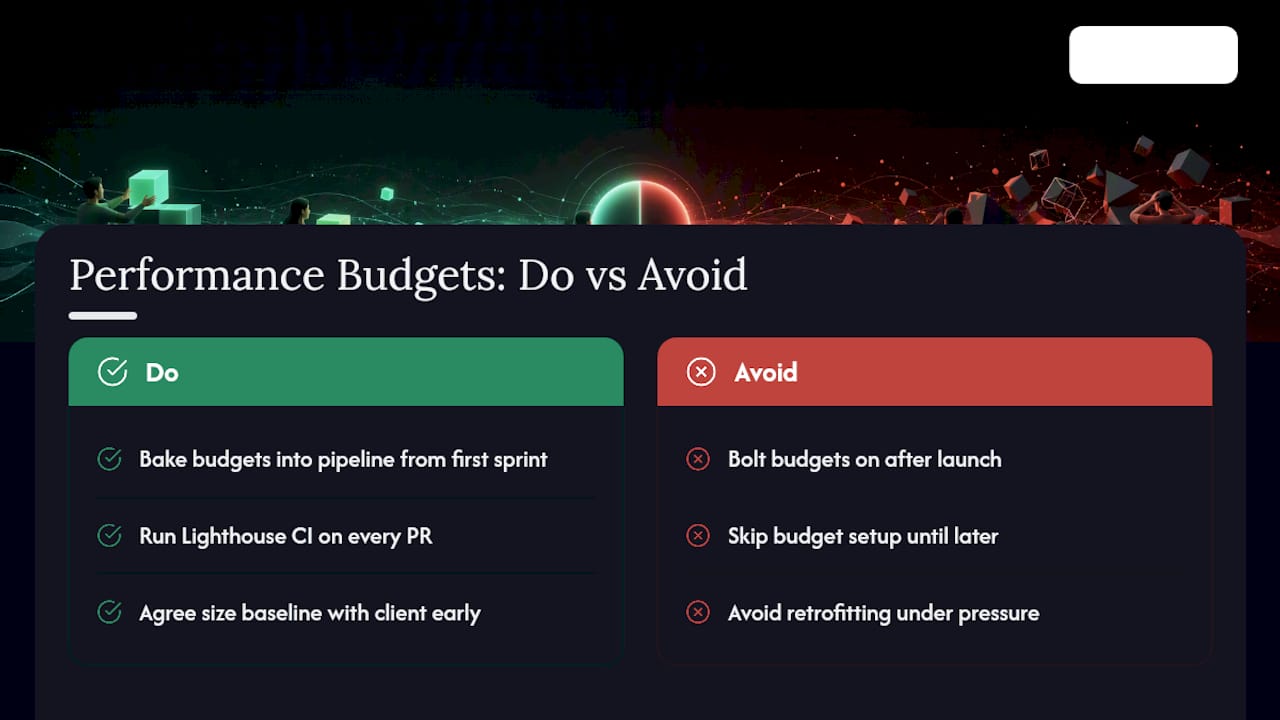
On the projects Yslootahtech delivers, performance budgets get baked into the build pipeline from the first sprint, not bolted on after launch complaints start. That means Lighthouse CI checks on every pull request and a size baseline agreed with the client before the first line of frontend code ships. Teams that skip this step almost always end up retrofitting under pressure.
Where Teams Get Performance Budgets Wrong
Too many thresholds enforced too rigidly is the fastest way to kill a budget program. Teams start with fifteen metrics gated at hard errors, developers hit friction on every unrelated PR, and within a month someone disables the check entirely. Allow tagged experimental exceptions with expiry dates, start with one or two budgets, and only add error-level gates once warnings have proven their value.
— YS
Let Yslootahtech Turn Your Budgets Into Enforced Code
Setting a budget on a spreadsheet is easy. Wiring it into your actual pull request pipeline, your staging environment, and your production alerts is where most internal teams stall out, usually because nobody owns the plumbing between the metric and the build. Yslootahtech closes that gap directly: we run the performance audit, set the pilot budgets on your top two or three revenue pages, and integrate the CI checks into your existing repo so a breach fails the build instead of surfacing three weeks later in a support ticket.

A typical engagement moves through four steps: audit your current baseline, pilot minimum viable budgets on key pages, integrate the checks into your CI/CD and CMS workflow, and hand off governance documentation so your team owns the process going forward. Where the fix requires deeper architecture work rather than a config change, our application development team picks it up without a handoff gap. If a redesign is driving the size increase in the first place, our UX/UI design team gets looped in before the mockup ships, not after. Start with a look at our website development service and tell us which pages matter most.
Sources
- Web
- About PageSpeed Insights (PSI) and Core Web Vitals
- Enforcing web performance budgets in CI/CD with Sitespeed.io and Slack | CircleCI blog