10 UI/UX Design Tips for 2026 That Actually Move Metrics

Design systems built around generative UI vocabularies are the single biggest shift UI/UX teams need to adopt in 2026, and the interfaces that win won't be fully hand-drawn screens anymore. Instead, they'll assemble themselves at runtime from a typed set of components, guided by user intent. That's the core claim of this piece, and it's backed by real signals: Forbes' rundown of nine UX shifts for 2026 puts explainable AI and agentic UX at the top of the list, Mantlr's breakdown of generative UI patterns documents seven production-tested architectures teams are already shipping, and contrast-checking guidance from WebAIM remains the baseline every AI-generated screen still has to pass.
Here's the priority order, at a glance:
- High: Generative UI vocabularies (design components, not screens)
- High: Accessibility-as-default, not a QA checkbox
- High: Explainable, transparent AI decisions in the interface
- Medium-high: Agentic UX and human-AI collaboration patterns
- Medium-high: Privacy-respecting, intent-driven personalization
- Medium: Purposeful motion tied to system state
- Medium: Cross-platform, context-aware layouts
- Medium: Voice and multimodal input maturity
Key Takeaways
Generative UI vocabularies, paired with accessibility-first execution and explainable AI, form the practical foundation every UI/UX team needs to build on in 2026.
| Point | Details |
|---|---|
| Design vocabularies, not screens | Define typed components, intent slots, and fallback states before building new features. |
| Accessibility is a build requirement | Run contrast and ARIA checks on every component before it enters the library, not after launch. |
| Explainability drives adoption | Add source attribution or reasoning-on-demand to any AI-surfaced recommendation. |
| Build eval rubrics before shipping | Test generative outputs against intent-slot satisfaction and fallback readiness pre-release. |
| Get expert support for the transition | Yslootahtech helps teams build vocabularies, rubrics, and accessibility audits in focused 8 to 12 week engagements. |
Table of Contents
- Top 10 Practical UI/UX Design Tips for 2026
- The Implementation Playbook: From Idea to Shipped Vocabulary
- What Practitioners Are Actually Seeing Ship in 2026
- Ethical and Secure Biometric Authentication
- Sustainability-Focused Design That Actually Reduces Impact
- Inclusive Design for Neurodivergent and Diverse User Groups
- Real-Time Data and Adaptive Interfaces
- Designing for Mental Health and Digital Well-Being
- Advanced Prototyping and Collaborative Design Platforms
- Designing for Wearables, IoT, and Whatever Comes Next
- Why Vocabularies, Not Screens, Are the Real 2026 Shift
- Sources
Top 10 Practical UI/UX Design Tips for 2026
1. Build a generative UI vocabulary, not another Figma file full of screens
The biggest mental shift in 2026 is realizing your job isn't drawing final states anymore. It's defining the typed components, intent slots, and constraints an engine assembles at runtime. Mantlr's research identifies static, declarative, and open-ended generative architectures, along with seven patterns worth copying: intent-driven component selection, progressive streaming, context-aware layouts, predictable envelopes, user steering, deterministic fallbacks, and component-level telemetry, as detailed in Mantlr's 2026 pattern guide.
Quick-start actions: audit your current component library and tag each component with the "intent" it satisfies. Write a one-page component contract (props, states, fallback behavior) for your five most-used components before touching a new feature.
2. Make AI decisions explainable inside the interface, not in a help article
Users trust a recommendation more when they can see why it appeared. Reasoning-on-demand, source attributions, and timestamps on AI-generated content measurably increase adoption and reduce the sense that an interface is hallucinating, a pattern documented in the Generative UI Design Handbook.
Quick-start: add a small "why am I seeing this" affordance to any AI-surfaced recommendation, even if it's just a one-line summary of the input signal.
3. Design agentic UX for two users: the human and the agent
Agentic products need patterns like "assist mode" and "verification sandboxes," where an agent does the work but a person approves the outcome before it ships. Lucky Graphics' research on agentic UI patterns calls this "shared autonomy," and it's the difference between an agent that feels helpful and one that feels like it's steering the car for you.
Quick-start: for any AI feature that takes an action (not just suggests one), add an explicit confirm step and a visible undo path.
Pro Tip: Give every agentic action a "diff view," similar to a code review. Show exactly what changed before the user commits. It's the fastest way to earn trust for an autonomous feature.
4. Treat personalization as an opt-in negotiation, not a black box
Dynamic, privacy-respecting personalization is one of the core UX shifts Forbes flags for 2026, and it works best when users can see and adjust what's being personalized, rather than guessing why their feed looks the way it does, per Forbes' 2026 UX shift analysis.
Quick-start: add a visible "personalization settings" panel with plain-language toggles, not a buried privacy policy link.
5. Bake accessibility into the design system, not the QA pass
Accessibility can't be a last-mile audit anymore, especially with interfaces that generate themselves. Every generated component needs proper ARIA labeling out of the box; MDN's aria-label documentation covers exactly how to make dynamic content legible to screen readers.
Quick-start: run every core component through the WebAIM contrast checker before it enters your library, and require an aria-label field on any component that can render dynamically generated text.
6. Replace decorative motion with motion that communicates state
Loading spinners and bouncing icons that exist purely for polish are on their way out. Forbes' 2026 shift report specifically calls out purposeful motion, animation tied to system state such as streaming content, agent progress, or confidence level, as one of the traits separating trustworthy AI interfaces from gimmicky ones.
Quick-start: audit your motion library and delete any animation that doesn't communicate a state change. Replace generic spinners with progressive reveal patterns that show partial results as they stream in.
7. Design layouts that adapt to context, not just screen size
Cross-platform design in 2026 means more than responsive breakpoints. It means layouts that shift based on where the user is, what device they're holding, and what task they're mid-way through. A generative layout engine that reads context (like time of day, connection speed, or task history) can rearrange a dashboard without a designer manually building a new breakpoint.
Quick-start: map your top three user journeys across at least two device types and identify where the current layout forces an awkward workaround.
8. Get serious about voice and multimodal input, even if your product is "visual-first"
Voice assistant adoption in the U.S. has reached a scale that makes ignoring it risky, according to Statista's tracking of voice assistant users. Multimodal flows, typing, tapping, and speaking interchangeably within the same task, are becoming table stakes rather than a novelty feature.
Quick-start: pick one high-friction task in your product and prototype a voice-to-text shortcut for it, even as a Wizard-of-Oz test before building the real thing.
9. Use AR and 3D only when they solve a real problem

Immersive elements earn their place when they answer a question flat UI can't, like showing spatial relationships, scale, or physical fit. Bolting on a 3D viewer because it looks impressive in a demo is how teams end up with slow, unused features.
Quick-start: before prototyping any AR or 3D element, write down the specific spatial question it answers. If you can't name one, cut it.
10. Build an evaluation pipeline before you ship any generative output
Generative UI needs deterministic checks the same way code needs unit tests. Treat design vocabularies as a set of constraints and contracts, typed props, intent slots, and eval rubrics, and test every output against that rubric before release.
Quick-start: write a five-item pass/fail rubric for your most AI-dependent surface and run it against 20 real user sessions before your next release.
The Implementation Playbook: From Idea to Shipped Vocabulary
Adopting generative UI and its companion practices isn't a redesign project. It's closer to standing up a small internal API. Here's the order that actually works.
- Audit and tag your component library. Assign each component an intent (what user goal it satisfies) and a fallback state.
- Write component contracts. Define typed props, allowed states, and what happens when the AI-generated intent doesn't map cleanly to an existing component.
- Build the eval rubric before the first generative feature ships. Cover allowed components, intent-slot satisfaction, citation or source presence, and fallback readiness.
- Instrument component-level telemetry. Track which components get used, ignored, or replaced by fallback states.
- Run a shadow launch. Let the generative system run in parallel with your existing static UI for two to four weeks before flipping traffic.
- Review, then scale. Expand the vocabulary to a second surface only after the first one clears its rubric consistently.
A sample rubric, adaptable to most products:
| Check | Pass criteria |
|---|---|
| Allowed components only | Output uses components from the approved vocabulary, no ad hoc HTML |
| Intent-slot satisfaction | Generated layout fulfills the user's stated or inferred goal |
| Citation or source presence | Any AI-derived claim shows its source or reasoning on demand |
| Fallback readiness | A deterministic static view renders if generation fails or times out |
| Accessibility pass | Contrast and ARIA labeling meet baseline thresholds automatically |
| Role | Owns |
|---|---|
| Design lead | Component vocabulary and intent taxonomy |
| Engineering lead | Rubric enforcement and fallback logic |
| Product/data | Telemetry, usage metrics, and rollout gating |
Track component usage rate, task completion time, and fallback-trigger frequency as your core success metrics. A rising fallback rate is your earliest warning that the vocabulary doesn't cover real user intent yet.
Pro Tip: Run your eval rubric against last quarter's support tickets before writing a single line of generative code. Half your "edge cases" are already documented complaints.
Watch for two failure modes that show up repeatedly in production: the infinite-canvas trap (an interface so flexible it never resolves into a clear next action) and hallucinated controls (buttons or fields the AI invents that don't map to real functionality), both flagged in Itsezcode's analysis of generative interface failures. Teams that skip the eval step before shipping tend to discover these the hard way, in a support queue.
Toolkit: Tools and Resources to Start This Quarter
- Figma for component libraries, variant management, and increasingly, plugins that prototype generative layouts directly inside design files.
- WebGL and WebGPU libraries for building performant 3D and AR prototypes without a custom rendering engine.
- WebAIM's contrast checker for validating color combinations against WCAG thresholds before components enter your library.
- MDN's ARIA attribute reference for correctly labeling dynamic, AI-generated content for assistive technology.
- Component-level analytics/telemetry libraries to track which generated components get used, ignored, or replaced by fallback states.
- AR prototyping tools for testing spatial and fit-related interactions before committing engineering resources.
All of the above are web-based and globally available, no region-locked licensing to worry about when rolling this out across a distributed team.
What Practitioners Are Actually Seeing Ship in 2026
Product teams shipping agent-generated views report the same pattern repeatedly: the interfaces that survive contact with real users are the ones treated as contracts, not creative expression. Mantlr's pattern guide and the Generative UI Design Handbook both converge on a similar lesson: predictability beats novelty every time.
Design vocabularies work best as a set of constraints and contracts, typed props, intent slots, and eval rubrics tested before release, not a blank canvas for the model to improvise on.
Three rules practitioners lean on when shipping generative or AI-assisted features:
- Never let a model choose from an unbounded component set. Constrain it to the vocabulary.
- Stream partial UI early rather than making users wait for a complete render.
- Log every fallback trigger. A spike there means your vocabulary has a gap, not that users made a mistake.
The most common production failure isn't a broken feature. It's design system drift, where generated screens slowly stop looking or behaving like the rest of the product because the vocabulary wasn't enforced tightly enough. Test against your rubric before every release, not just the first one.
Pro Tip: Schedule a monthly "drift review" where design and engineering compare five random generated screens against the original vocabulary spec. Catching drift early is far cheaper than a redesign later.
Ethical and Secure Biometric Authentication
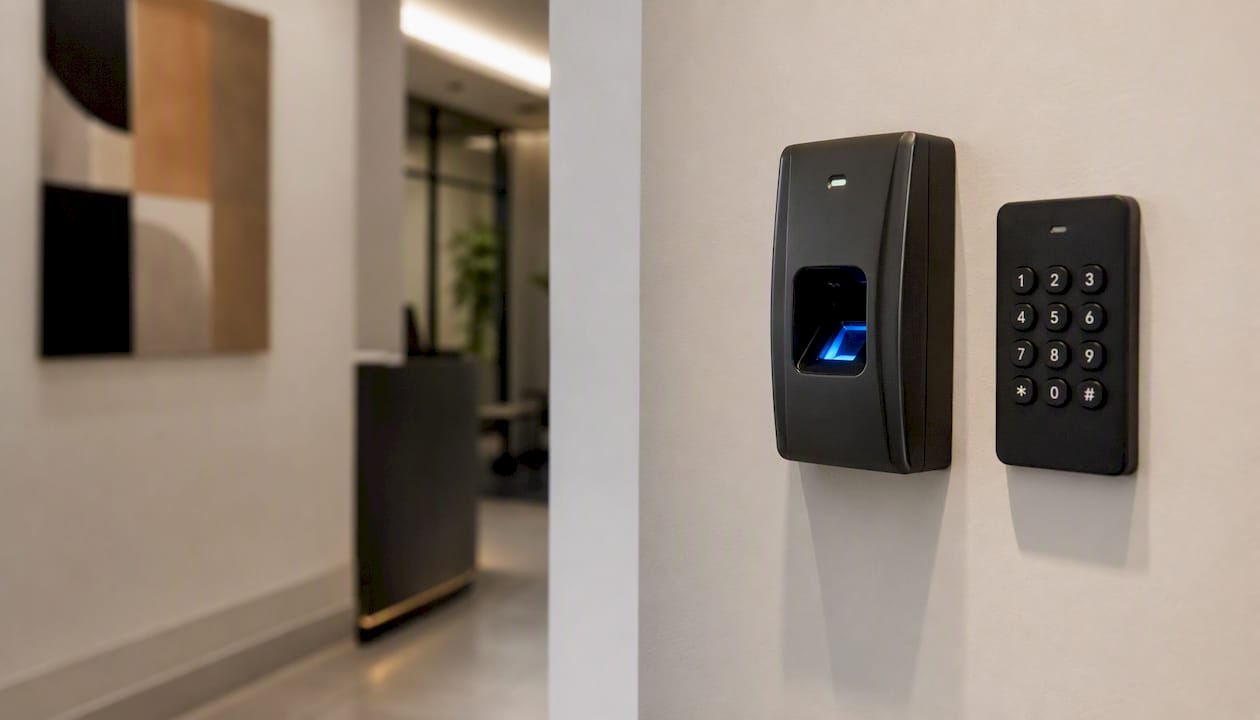
Biometric login, face, fingerprint, voice, is now a default expectation rather than a premium feature, and that raises the stakes on how it's designed, not just how it's engineered. The ethical burden sits squarely with the interface: users need a clear, visible alternative to biometric login at every step, never a dead end if a scan fails or a user opts out.
Design the consent flow with the same rigor you'd give a payment screen. State plainly what's being stored (a hash, not a raw image, in most secure implementations), where it lives, and how to revoke it. A settings screen that lets a user delete biometric data as easily as they enabled it does more for trust than any security badge.
Watch the failure states closely. A face scan that fails in bad lighting or a fingerprint reader that struggles with certain skin tones needs a fallback that doesn't feel punitive, like typing a PIN, not restarting the entire onboarding flow. Building that fallback path with the same care as the primary one is what separates secure biometric design from biometric design that quietly excludes people.
Sustainability-Focused Design That Actually Reduces Impact
Every animation, autoplay video, and unoptimized image carries a measurable energy cost, and design decisions are increasingly where that cost gets decided, not just in the data center. Sustainable UI design in 2026 means treating page weight and render complexity as design constraints, the same way you'd treat load time or accessibility.
Dark mode, often framed as a purely aesthetic choice, does reduce power draw on OLED and AMOLED screens, giving designers a legitimate sustainability argument alongside the visual one. Lazy-loading non-critical assets, capping video autoplay, and defaulting to compressed image formats all shave real energy use without touching the product's core experience.
The generative UI shift actually helps here: an interface that streams only the components a user's intent requires, rather than rendering a full heavy template every time, uses meaningfully less bandwidth and compute than a bloated static page. Sustainability, in other words, isn't a separate initiative bolted onto design. It's often a side effect of building leaner, intent-driven interfaces in the first place.
Inclusive Design for Neurodivergent and Diverse User Groups
Inclusive design in 2026 has moved well past color contrast and screen-reader compatibility, though both remain essential. Cognitive load, sensory sensitivity, and processing style now sit alongside physical accessibility as design requirements, not nice-to-haves reserved for a "special needs" mode. The World Health Organization's guidance on disability is a useful anchor for understanding the range of considerations designers need to account for, from motor and visual impairments to cognitive and sensory differences.
For neurodivergent users specifically, that means offering control over motion, sound, and information density. A dashboard that lets a user disable animations, mute notification chimes, or switch to a lower-density layout serves a genuinely large slice of your audience, not an edge case. Predictable navigation matters more here than clever novelty: unexpected layout shifts or auto-advancing carousels create real friction for users with attention or sensory processing differences.
Quick-start: add a "reduce motion and sound" toggle at the system level, not buried three menus deep, and test your core flows with it enabled before every major release.
Real-Time Data and Adaptive Interfaces
Interfaces that update live, stock tickers, delivery trackers, collaborative documents, need a different design vocabulary than static screens ever did. The core challenge isn't displaying real-time data. It's showing change without disorienting the person looking at it.
Adaptive interfaces that respond to real-time context (network speed, location, time-sensitive data) should communicate that they're adapting, not just silently rearrange. A subtle transition or a small "updated just now" indicator keeps users oriented when the ground shifts under them.
Quick-start: for any interface showing live data, add a visible timestamp or "last updated" indicator, and use gentle transition animation (not a hard cut) whenever values change materially.
Designing for Mental Health and Digital Well-Being
The most successful designers in 2026 design with users rather than for them, which increasingly means respecting their time and attention as a finite resource rather than something to maximize against, a point Forbes' 2026 UX analysis makes explicit.
That shows up in concrete design decisions: honest notification badges instead of inflated unread counts, session-length nudges on genuinely habit-forming features, and default settings that don't quietly maximize time-on-app as a hidden success metric. None of this requires sacrificing engagement metrics that actually matter, retention driven by real value tends to hold up better than retention driven by manufactured urgency anyway.
Quick-start: review your notification copy for manufactured urgency ("Don't miss out!") and replace it with plain, factual framing. Track whether genuine task completion changes, not just open rate.
Advanced Prototyping and Collaborative Design Platforms
Prototyping in 2026 increasingly happens where the AI lives, not in a separate mockup tool disconnected from the eventual build. Figma remains the center of gravity for most teams, but its plugin ecosystem now stretches into generative layout testing, letting designers prototype intent-driven component behavior before a single line of production code exists.
Collaborative platforms matter more than ever because generative UI work isn't a solo design task. It requires design, engineering, and product to agree on a shared vocabulary in real time, which means the prototyping tool needs to double as a spec, not just a picture. Version history and component-level comments become as important as the visual fidelity of the prototype itself.
Quick-start: if your team still exports static specs to a separate document, consolidate that into your prototyping tool's native commenting and versioning features this quarter.
Designing for Wearables, IoT, and Whatever Comes Next
Screens keep shrinking and multiplying at the same time, smartwatches, smart glasses, ambient home displays, and in-car interfaces all demand attention with a fraction of the space a phone gives you. Designing for these surfaces means accepting that some information simply doesn't fit, and deciding what to cut is the actual design work.
Glanceable design, information that communicates in under two seconds, is the baseline for wearables. IoT interfaces often skip screens entirely, relying on light, sound, or haptic feedback instead, which means your design vocabulary needs states beyond visual ones. A component contract built for generative UI should already define non-visual output alongside visual output, not treat wearables as an afterthought retrofit.
Quick-start: pick one core notification in your product and design its glanceable version first, then work backward to the full-screen experience, not the other way around.
Why Vocabularies, Not Screens, Are the Real 2026 Shift
I keep coming back to one idea when I look at where UI/UX is heading: teams that keep designing final screens are optimizing for the wrong deliverable. The product velocity gains, and the brand consistency risks, both come from the vocabulary layer now, not the pixel layer. Get the component contracts and intent slots right, and screens become an output, not the work itself.
If you do one thing this quarter, pick a single surface, one dashboard, one onboarding flow, and ship a real vocabulary plus an eval rubric for it before touching anything else. And sync your design tokens with your intent tokens and telemetry from day one. Retrofitting that connection later is far more painful than building it in from the start.
How Yslootahtech Helps Teams Make This Shift Without Starting From Zero
Building a generative UI vocabulary, an eval rubric, and the accessibility work behind it is a specialized undertaking, and most product teams don't have spare bandwidth to build it alongside their regular roadmap. Yslootahtech works directly with product and engineering teams to define component contracts, build the evaluation pipelines that test generative outputs before release, and run accessibility audits that meet WCAG-level thresholds from day one.

A typical engagement takes a single surface from an unstructured screen library to a working vocabulary with rubrics and telemetry in about eight to twelve weeks, giving your team a repeatable pattern to extend elsewhere. That work draws on Yslootahtech's broader AI and machine learning capabilities, paired with hands-on UX/UI design services built for exactly this kind of transition. If your team is weighing where to start, reach out for a scoped assessment of your current component library and where the fastest wins sit.