UI UX Design Process: A Step-by-Step Playbook for Teams

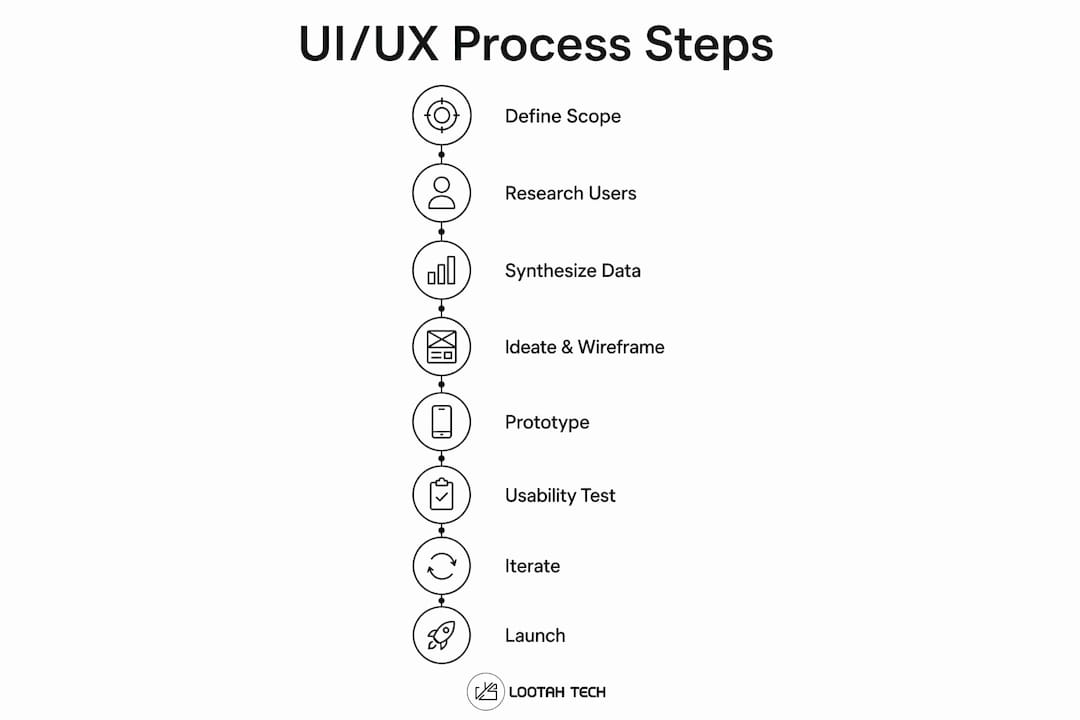
The UI/UX design process is a defined, iterative sequence you can apply to any digital product: define → research → synthesize/IA → ideate/wireframe → prototype → test → iterate → handoff/launch. Teams at firms like Yslootahtech run this cycle using tools such as Figma and UXPin to move from a vague brief to a production-ready interface without guessing at what users need. Design thinking is the conceptual parent of this sequence, and the eight steps below operationalize it.
Quick checklist:
- Define scope and goals
- Research users and context
- Synthesize findings and map information architecture (IA)
- Ideate and wireframe
- Build low-to-high fidelity prototypes
- Run usability testing
- Iterate and prioritize fixes
- Hand off to development and launch
For a small feature or a single-screen update, you can compress this into a lean short cycle. For a full product build or a major redesign, run every step in full.
Table of Contents
- What UX and UI mean and how they connect to design thinking
- Why a structured process produces better products
- The UI/UX design process, step by step
- What deliverables each phase produces and which tools create them
- How long does a UI/UX project take and what does it cost in the U.S.?
- Modern best practices and 2026 trends worth adopting
- How Yslootahtech runs the UI/UX process for clients
- How to manage and prioritize design requirements and trade-offs
- Risk management and common pitfalls in the UI/UX design process
- How to tailor the process for agile, waterfall, or small-team projects
- Key Takeaways
- What teams consistently get wrong about the design process
- Yslootahtech brings the full process to your product
- Useful sources and where to go next
What UX and UI mean and how they connect to design thinking
UX (user experience) covers the strategy layer: understanding user needs, mapping flows, and defining what a product should do and why. UI (user interface) is the visual and interaction layer: the buttons, typography, color, and motion that make those flows tangible. A product can have a well-researched UX and a poorly executed UI, and vice versa. Both fail users in different ways.

The UX design process maps directly onto design thinking's five phases: empathize, define, ideate, prototype, and test. Each phase has a practical equivalent in the eight-step workflow. Empathize = user interviews and analytics review. Define = problem statements and success metrics. Ideate = sketching and wireframing. Prototype = low-to-high fidelity builds. Test = moderated and unmoderated usability sessions.
What design thinking adds is permission to loop. You are not expected to move linearly from step one to step eight. New data from a usability test can send you back to wireframes, or even back to the research phase if the problem statement turns out to be wrong. That iterative nature is not a sign of a broken process. It is the process working correctly.
Why a structured process produces better products
Skipping steps is the most common reason digital products ship with avoidable problems. Teams that jump straight to visual design before completing research tend to design for themselves rather than their users, a pattern that surfaces late in development when fixes are expensive. A structured UX design workflow forces the team to surface constraints early, when changing direction costs hours rather than weeks.
The concrete benefits break down into four categories:
- Stakeholder alignment: Personas and journey maps give non-designers a shared reference point, reducing the "I thought we agreed on X" conversations mid-sprint.
- Risk reduction: Usability testing before development catches interaction problems before they become engineering debt.
- Faster time to value: Validated wireframes mean developers build the right thing the first time, not a version that needs rework after QA.
- Measurable improvements: Teams that follow the process consistently see gains in task success rates, conversion, and time-on-task, though the magnitude depends on the product and baseline.
The deliverable-to-outcome link matters here. A persona is not a document for its own sake. It is the artifact that prevents a product manager from shipping a feature that solves a problem only they have. A prototype is not a deliverable to check off. It is the cheapest way to find out whether your solution actually works before you pay engineers to build it.
The UI/UX design process, step by step
The 8-step UX workflow below is the canonical sequence. Each step includes the goal, core activities, must-have deliverables, and who should be in the room.
1. Define scope and goals
Goal: Align the team on what problem you are solving, for whom, and how you will measure success. Activities include stakeholder interviews, competitive audits, and writing a project brief. Deliverables: project brief, success metrics, and a scope document. Involve product managers, business stakeholders, and a lead designer.
2. Research users and context
Goal: Understand real user behavior, needs, and pain points before generating any solutions. Use qualitative methods (user interviews, contextual inquiry, diary studies) to learn why users behave as they do. Use quantitative methods (analytics, surveys, funnel data) to learn how many users experience a problem and how often. Deliverables: interview notes, survey results, analytics summaries, and a competitive analysis. Involve UX researchers, designers, and product managers.
Maze recommends blending both method types at this stage: qualitative data surfaces the story; quantitative data confirms its scale.
Pro Tip: Run at least five user interviews before touching any design tool. Five sessions typically surface the majority of usability patterns, and the insights will reshape your wireframes in ways no amount of internal debate can.
3. Synthesize findings and map information architecture
Goal: Turn raw research data into actionable design direction. Activities include affinity mapping, persona creation, journey mapping, and IA diagramming. Deliverables: user personas, journey maps, a sitemap, and user flow diagrams. Involve UX designers and researchers, with product managers reviewing for business fit.
4. Ideate and wireframe
Goal: Generate and quickly evaluate multiple solutions before committing to one. Start with rough sketches or whiteboard sessions, then move to low-fidelity digital wireframes. Deliverables: concept sketches, low-fidelity wireframes, and annotated screen flows. Involve UX designers, UI designers, and at least one engineer for a quick feasibility check.
The GeeksforGeeks UI process guide emphasizes templating components and mapping flows before any pixel-perfect work, which keeps this stage fast and reversible.
5. Build low-to-high fidelity prototypes
Goal: Create a testable simulation of the product. Start with mid-fidelity interactive prototypes (linked wireframes) and progress to high-fidelity mockups with real visual design applied. Code-backed prototypes, where components are built from production code, close the gap between design and engineering. Deliverables: interactive prototype (mid-fi), high-fidelity mockups, and a code-backed prototype where applicable. Involve UI designers, UX designers, and front-end engineers for code-backed builds.
6. Run usability testing
Goal: Validate whether real users can complete key tasks without confusion or friction. Moderated testing (a facilitator guides the session) works well for complex flows or early-stage concepts. Unmoderated remote testing, via platforms like UserTesting, scales faster and costs less per session. In-person testing is best when you need to observe body language or test physical context. Deliverables: test script, session recordings, usability report, and a prioritized findings list. Involve UX researchers, designers, and product managers.
7. Iterate and prioritize fixes
Goal: Act on test findings without rebuilding everything. Triage issues by severity (critical blockers vs. minor friction) and business impact. Not every finding warrants a design change. Some are edge cases; others point to deeper structural problems that require looping back to wireframes or even the IA phase. Deliverables: updated wireframes or mockups, a revised prototype, and a change log. Involve the full design team and a product manager for prioritization calls.
8. Hand off to development and launch
Goal: Give engineers everything they need to build the design accurately without a back-and-forth of clarification questions. A design system with reusable UI components is the single most effective way to reduce handoff friction. Deliverables: annotated design specs, design tokens, asset files, accessibility guidelines, interaction state documentation, and a handoff package. Involve UI designers, front-end engineers, QA, and a product manager.
Post-launch, monitor analytics, collect bug reports, and schedule a follow-up usability round at 30 and 90 days. The UX Design Institute frames this post-launch loop as the step that separates teams that ship once from teams that build products users keep returning to.
What deliverables each phase produces and which tools create them
Every phase of the process has a standard set of outputs. The table below maps deliverable to format to the tools most commonly used to produce it.
| Phase | Deliverable | Format | Tools |
|---|---|---|---|
| Research | Interview notes, affinity maps | Docs, digital boards | Miro, Notion, Dovetail |
| Synthesis/IA | Personas, journey maps, sitemaps | Diagrams, PDFs | Miro, FigJam, Figma |
| Wireframes | Low-fi screen layouts | Figma frames, sketches | Figma, UXPin, Balsamiq |
| Prototyping | Interactive mid/hi-fi prototype | Figma prototype, UXPin app | Figma, UXPin |
| Code-backed prototype | Component-level interactive build | React/HTML components | UXPin Merge, Storybook |
| Usability testing | Test scripts, session recordings | Video, reports | UserTesting, Maze |
| Handoff | Design specs, tokens, assets | Figma Dev Mode, Zeplin | Figma, UXPin, Zeplin |
| Post-launch | Analytics dashboards, feedback logs | Data exports | Mixpanel, Hotjar, FullStory |
Figma handles the widest range of phases, from wireframes through hi-fi mockups and developer handoff. UXPin adds code-backed prototyping via its Merge feature, which pulls real production components into the design canvas. Miro is the go-to for collaborative research synthesis and IA diagramming. UserTesting runs both moderated and unmoderated remote sessions at scale.
Design tokens deserve a specific mention. Tokens are named variables (color, spacing, typography) stored in a shared system that both designers and engineers reference. When a token changes, it updates everywhere, in the design file and in the codebase, without manual find-and-replace work. Adopting tokens early in a project pays off heavily at handoff.
Pro Tip: Use code-backed prototypes when you need to test complex interactions (animations, form validation, conditional logic) that high-fidelity mockups cannot simulate accurately. For static layouts and basic navigation flows, a Figma prototype is faster and sufficient.
For teams exploring AI-assisted product prototyping, tools that generate component scaffolding from prompts can cut the time from wireframe to testable prototype significantly.
How long does a UI/UX project take and what does it cost in the U.S.?
Timelines and budgets vary by scope, but typical U.S. market engagements differ widely depending on factors like research intensity, number of platforms, accessibility requirements, and use of code-backed prototypes. The most common place budgets get wasted is in late-stage rework caused by skipping or rushing the research and wireframe phases. Investing additional time on validated wireframes before moving to hi-fi design can significantly reduce engineering rework downstream.
For mobile-specific projects, the mobile app design workflow guide from Yslootahtech covers how to adapt these timelines for iOS and Android builds. Startups planning a first product should also review the mobile app development checklist before scoping a design engagement.
Modern best practices and 2026 trends worth adopting
The biggest shift in the UI/UX process over the past two years is not AI replacing designers. It is AI compressing the time spent on repeatable tasks so designers can focus on judgment calls that actually require human expertise.
Key trends and how to act on them:
- AI-assisted layout and component generation: Tools now generate initial screen layouts, component variants, and copy suggestions from a prompt. Use AI output as a first draft (roughly the first 80% of the work), then apply expert judgment to the final 20%: hierarchy, edge cases, accessibility, and emotional tone.
- Code-backed prototyping: Connecting design tools to production component libraries via UXPin Merge or similar bridges means prototypes behave exactly like the real product. Engineers spend less time interpreting specs and more time building.
- Earlier engineering involvement: Bringing a front-end engineer into the wireframe review (not just the handoff) catches technical constraints before they become expensive redesigns.
- Automated accessibility checks: Tools like Figma plugins (Stark, Able) and browser-based auditors (axe DevTools) flag contrast failures and missing ARIA labels during design, not after development.
Modern web design principles increasingly treat accessibility and performance as design constraints from day one, not post-launch compliance tasks.
Pro Tip: When introducing AI tools to your workflow, set up prompt templates and a review checkpoint before any AI-generated output moves to the next phase. Without a checkpoint, AI-generated layouts can introduce inconsistent spacing, inaccessible color choices, or components that do not exist in your design system.
How Yslootahtech runs the UI/UX process for clients
Yslootahtech's UI/UX design engagements follow the canonical eight-step sequence, adapted to each client's industry and platform requirements. A typical engagement opens with a structured discovery phase: stakeholder interviews, a competitive audit, and a scope document that aligns the design team with the client's product and business goals before any design work begins.
From there, the team moves through research (user interviews, analytics review, persona development), iterative design (wireframes reviewed with the client at each fidelity level), and code-backed prototyping where the product complexity warrants it. Clients receive a complete handoff package at the end of each major phase, not just at the end of the project.
Deliverables clients receive at handoff typically include:
- Annotated high-fidelity prototypes with interaction state documentation
- Design system tokens (color, spacing, typography) ready for engineering
- Developer-ready asset files (SVGs, icons, imagery)
- Accessibility guidelines mapped to WCAG 2.1 AA standards
- Usability test reports with prioritized findings
What differentiates a vendor-managed workflow from an internal DIY team is primarily speed and cross-functional integration. Yslootahtech's designers work alongside the application development team, which means engineering constraints surface during wireframing rather than at handoff. That alignment consistently reduces the gap between design intent and production output.
How to manage and prioritize design requirements and trade-offs
Every project accumulates more requirements than the timeline or budget can accommodate. The practical skill is not generating requirements. It is deciding which ones to cut without breaking the user experience.
A simple prioritization framework: map each requirement against two axes, user impact and implementation effort. High-impact, low-effort items ship first. High-impact, high-effort items get scoped carefully and often split into phases. Low-impact items, regardless of effort, get deferred or dropped.
Trade-offs between design quality and speed are real, but they are often framed incorrectly. The question is rarely "do we do this right or do we do it fast?" It is usually "which part of this do we do right now, and which part do we revisit after launch?" Phasing a design system rollout, for example, lets a team ship a consistent MVP without waiting for a complete component library. The custom software workflow guide covers how to structure these phased decisions across design and engineering.
Stakeholder requests also need a prioritization filter. When a stakeholder asks for a feature, the right response is not yes or no. It is "what user problem does this solve, and how does it rank against the problems we already know exist?" That question, asked consistently, keeps the backlog grounded in user needs rather than internal preferences.
Risk management and common pitfalls in the UI/UX design process
The most expensive risks in a UI/UX project are not technical. They are process failures that compound over time.
Common pitfalls and how to avoid them:
- Skipping research to save time: Teams that skip user research typically discover the problem they skipped during usability testing, after weeks of design work. Running even three to five interviews before wireframing costs days, not weeks, and prevents far larger rework.
- Designing in isolation: When designers work without regular input from engineers and product managers, the result is often a design that is visually polished but technically infeasible or misaligned with business constraints. Weekly cross-functional reviews prevent this.
- Treating the first prototype as final: A prototype is a question, not an answer. Teams that present a hi-fi prototype to stakeholders as a near-finished product create pressure to ship it unchanged, even when usability testing reveals problems.
- Late accessibility review: Retrofitting accessibility after development is consistently more expensive than building it in from the wireframe stage. WCAG 2.1 AA compliance should be a design constraint, not a QA checklist item.
- Unclear handoff documentation: Developers who receive a Figma file with no annotations, no interaction states, and no design tokens will make implementation decisions on their own. Those decisions are rarely what the designer intended.
The Designlab 8-step guide frames iteration and post-launch monitoring as the steps most teams underinvest in, which is consistent with the pattern of teams shipping once and never returning to validate whether the product actually solved the original problem.
How to tailor the process for agile, waterfall, or small-team projects
The eight-step sequence is a framework, not a rigid script. How you run it depends on your team size, methodology, and project constraints.
Agile teams typically embed the UX process within sprints, running research and design one to two sprints ahead of engineering. This "design sprint buffer" keeps designers from blocking developers while still allowing for iteration. The risk is that sprint pressure compresses research and testing phases. Guard against this by treating research as a non-negotiable sprint activity, not an optional pre-sprint task.
Waterfall projects (common in enterprise and regulated industries) run the full process sequentially, with formal sign-offs at each phase gate. This approach works well when requirements are stable and stakeholder approval cycles are long. The trade-off is that problems discovered late in the process are harder to fix. Waterfall teams should invest heavily in the research and wireframe phases, since those are the cheapest points to course-correct.
Small teams or solo designers often compress the eight steps into a leaner cycle: a short discovery session, rapid wireframes, a single round of user testing, and a streamlined handoff. The Indeed 5-step UX framework (learn users, define the problem, brainstorm, prototype, test) is a practical shorthand for this lean mode. The key is not skipping research entirely but running it faster, with fewer participants and tighter scope.
For teams building mobile products, adapting the process to platform-specific patterns (iOS Human Interface Guidelines, Material Design) adds a layer of UI-specific constraints that should be introduced at the wireframe stage, not the hi-fi mockup stage.
Key Takeaways
A structured UI/UX design process, run from define through post-launch iteration, consistently produces better products than skipping steps, because each phase catches a different category of problem before it becomes expensive to fix.
| Point | Details |
|---|---|
| Start with research, always | Even three to five user interviews before wireframing prevents weeks of rework downstream. |
| Deliverables drive alignment | Personas, journey maps, and annotated prototypes give stakeholders a shared reference that reduces mid-project scope drift. |
| Handoff quality determines build quality | Design tokens, interaction state docs, and accessibility guidelines at handoff reduce engineering guesswork and rework. |
| Adapt the process to your methodology | Agile teams run design one to two sprints ahead; waterfall teams invest heavily in the research and wireframe phases. |
| Yslootahtech for end-to-end delivery | Yslootahtech runs the full eight-step process with code-backed prototyping and a complete handoff package for each phase. |
What teams consistently get wrong about the design process
The conventional wisdom says the hardest part of the UI/UX process is the visual design. After working through dozens of product engagements, the actual bottleneck is almost always earlier: the gap between what stakeholders think users need and what users actually do.
Teams rush the research phase because it feels slow and intangible. You are not producing screens; you are producing understanding. That feels like delay. But the teams that spend real time in research, running interviews, reviewing analytics, mapping actual user flows, arrive at the wireframe phase with a clarity that makes every subsequent decision faster. The teams that skip it spend that time later, in usability testing, in engineering rework, in post-launch patches.
The single most reliable habit for avoiding late rework: run a two-hour discovery session with your engineers and product manager before sketching a single mockup. Not a kickoff meeting. A working session where you map the user problem, the technical constraints, and the business goals together. What surfaces in that session will reshape your approach in ways no amount of solo design work can replicate.
Yslootahtech brings the full process to your product
Yslootahtech delivers end-to-end UI/UX engagements for product teams that need more than a design file. The firm covers every phase from structured discovery and user research through iterative wireframing, code-backed prototyping, and developer-ready handoff, with post-launch monitoring built into every engagement.

Clients working with Yslootahtech receive a complete deliverable package at each phase gate: annotated prototypes, design system tokens, accessibility documentation, and usability test reports. Engagements are scoped to the project size, whether that is a single-feature sprint or a full product redesign, so you are not paying for phases your project does not need. The team's designers work alongside Yslootahtech's application development engineers, which means design decisions are validated against real technical constraints before handoff, not after. To request a project brief or get a scoped estimate, contact Yslootahtech directly through the UI/UX services page.
Useful sources and where to go next
Methodology and process
- Maze: How to Build Streamlined UX Workflows in 8 Steps — Practical breakdown of the eight UX workflow stages with team-facing checklists; useful for project planning.
- UX Design Institute: What is the UX Design Process? — Step-by-step guide covering research through launch; good for teams new to the full process.
- Interaction Design Foundation: UX Design Processes — Explains how UX processes map to design thinking phases; authoritative conceptual reference.
- Designlab: The UX Design Process — The Ultimate 8-Step Guide — Covers the canonical eight steps with iteration and post-launch as explicit phases.
- Indeed: The UX Design Process in 5 Steps — Lean five-step version useful for small teams or solo designers running a compressed cycle.
Tools and templates
- UXPin: UX Workflow Guide — Covers design systems, handoff best practices, and code-backed prototyping; directly relevant to the deliverables and handoff phases.
- UXPin: UX Design Process — Actionable 8-Step Guide — 2026-updated guidance on AI-assisted tools and how code-backed prototypes change team workflows.
- GeeksforGeeks: UI Design Process — Accessible, beginner-friendly breakdown of the UI-specific steps from concept to prototype.