Optimize custom software workflow: step-by-step guide

TL;DR:
- Broken workflows, not bad code, cause project delays and overspending.
- Assess current processes, choose suitable methodology, and set measurable goals for improvement.
- Continuous monitoring, flexibility, and hybrid workflows enable teams to adapt and optimize effectively.
Software projects that miss deadlines, burn through budgets, and leave teams frustrated rarely fail because of bad code. They fail because of broken workflows. When communication gaps pile up, documentation stays vague, and feedback loops go missing, even the most talented development team loses momentum fast. Business leaders and IT decision-makers who take a structured approach to optimizing their custom software development workflow consistently report shorter delivery cycles, clearer accountability, and stronger alignment between IT output and business goals. This guide walks you through every stage, from assessing your current process to monitoring outcomes, so you can stop firefighting and start building software that actually moves the needle.
Table of Contents
- Assess your current workflow and set clear goals
- Prepare prerequisites: Building the right foundation
- Execute step-by-step: Managing the custom software workflow
- Monitor, troubleshoot, and optimize your workflow
- The real-world truth: Hybrid workflows and business agility
- Next steps: Unlocking business value with YS Lootah Tech
- Frequently asked questions
Key Takeaways
| Point | Details |
|---|---|
| Workflow assessment first | Begin by evaluating current processes and setting measurable goals for software projects. |
| Build strong foundations | Ensure tools, roles, and stakeholder alignment are in place before starting development. |
| Follow a stepwise approach | Execute your workflow in clear, feedback-driven stages to reduce errors and improve outcomes. |
| Continuously monitor and adapt | Regularly review your workflow, troubleshoot issues, and optimize based on data and feedback. |
| Hybrid methods deliver agility | Combining workflow structures offers business leaders the flexibility to thrive in dynamic environments. |
Assess your current workflow and set clear goals
Before you can fix a workflow, you need to understand exactly where it breaks. Most organizations discover the same recurring problems: unclear requirements handed off to developers, meetings that produce decisions nobody documents, and feedback that arrives too late to prevent rework. These are not signs of a bad team. They are signs of a workflow that was never intentionally designed.
Start your assessment with honest answers to these questions:
- Where do tasks consistently stall or get handed back?
- How long does it take to go from a business requirement to a working feature?
- Are stakeholders involved early enough to prevent late-stage changes?
- Does your team have a shared definition of "done" for every deliverable?
- How often do scope changes derail your sprint or release schedule?
Your answers will reveal whether your bottlenecks are structural (methodology mismatch), human (unclear roles), or technical (missing automation). Once you know the root cause, you can pick the right fix.
Choosing the right methodology matters more than most leaders realize. Agile is praised for speed and tight feedback loops, but experienced developers frequently criticize it for meeting overhead and process bloat. Kanban appeals to teams that want flow without rigid sprint cycles. Waterfall still works for projects with fixed, well-understood requirements. Hybrid approaches blend the predictability of Waterfall with the adaptability of Agile, and for most business leaders, that balance is exactly what complex projects need.
| Methodology | Best for | Key strength | Key weakness |
|---|---|---|---|
| Agile | Evolving requirements | Fast iteration, frequent feedback | Meeting overhead, scope drift |
| Kanban | Continuous delivery | Visual flow, minimal process | Harder to plan long-term |
| Waterfall | Fixed-scope projects | Predictable timelines | Rigid, late feedback |
| Hybrid | Complex business projects | Balances structure and flexibility | Requires disciplined governance |
Once you have a clear picture of your workflow gaps and a methodology that fits your context, set SMART goals tied directly to business outcomes. "Reduce time-to-market by 20% in Q3" is a goal. "Improve our process" is not. Connecting your custom software benefits to measurable targets gives every team member a reason to care about workflow quality.
Prepare prerequisites: Building the right foundation
Goals without the right tools and people behind them stay goals forever. Before your first sprint kicks off, you need the right infrastructure in place. This is where many organizations skip steps and pay for it later with onboarding chaos, duplicated work, and misaligned expectations.
Here is a practical overview of the core tools every custom software team should have ready:
| Tool category | Example platforms | Role in workflow |
|---|---|---|
| Project management | Jira, Linear, Asana | Sprint planning, task tracking, visibility |
| Version control | GitHub, GitLab, Bitbucket | Code management, collaboration, history |
| CI/CD pipeline | Jenkins, GitHub Actions, CircleCI | Automated testing and deployment |
| Documentation | Confluence, Notion, Google Docs | Requirements, decisions, onboarding |
| Communication | Slack, Microsoft Teams | Real-time updates, async collaboration |
Tools only work when the right people are using them with clear responsibilities. Your core team should include a business analyst who translates business needs into technical requirements, a product owner who prioritizes the backlog, a QA manager who owns testing standards, developers who build and review code, and stakeholders who provide timely input and final approvals.
Stakeholder engagement is often the weakest link. Fix it early with these steps:
- Schedule a structured kick-off meeting with all decision-makers present
- Define approval workflows so feedback does not get stuck in inboxes
- Set a communication cadence (weekly status updates, bi-weekly reviews)
- Document all decisions in a shared, searchable location
- Assign a single point of contact for each stakeholder group
As hybrid workflows gain traction among business leaders who need both structure and flexibility, the teams that succeed fastest are the ones with standardized onboarding processes. A well-designed software efficiency boost starts here, not in the code.
Pro Tip: Build a kick-off checklist that covers tool access, role assignments, documentation templates, and communication protocols. Run it for every new project. Teams that use standardized checklists cut onboarding time significantly and reduce early-stage confusion that derails timelines.
A solid digital transformation roadmap always includes this preparation phase as a non-negotiable step, not an optional warmup.
Execute step-by-step: Managing the custom software workflow
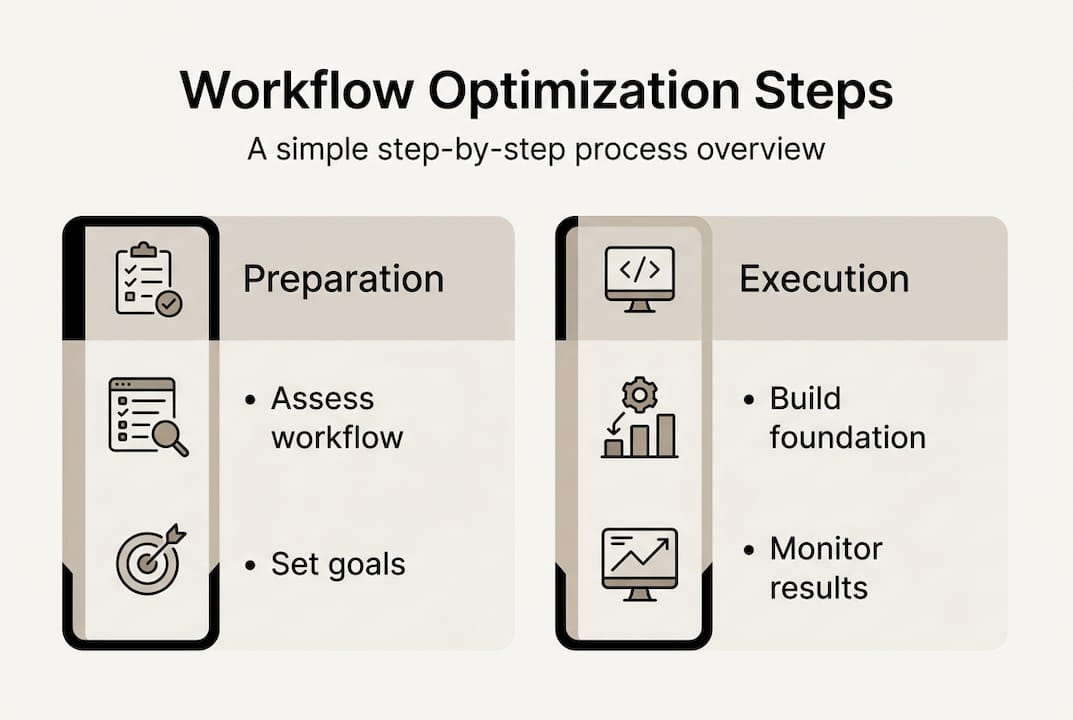
With your foundation set, execution becomes a repeatable process rather than a scramble. Here is a structured sequence that works across industries and team sizes:
- Plan your sprint or work cycle. Define scope, assign tasks, and set acceptance criteria before a single line of code is written. Ambiguity here costs you later.
- Assign tasks with clear ownership. Every task needs one owner. Shared ownership means no ownership when things go wrong.
- Run iterative development cycles. Build in small increments, test early, and get working software in front of stakeholders faster than you think is necessary.
- Integrate feedback continuously. Do not wait for a big reveal. Short feedback loops catch misalignments before they become expensive rework.
- Run structured QA testing. Automate regression tests. Manual testing should focus on edge cases and user experience, not repetitive checks.
- Deploy with a documented process. Use your CI/CD pipeline to reduce human error and make deployments predictable. Follow a solid enterprise app development process for complex rollouts.
Pro Tip: Limit standing meetings to 15 minutes. Document every decision in your project management tool immediately after it is made. Automate status reports where possible. Kanban reduces overhead compared to heavier Agile ceremonies, and experienced developers consistently prefer leaner processes when given the choice.
Consider a real scenario: a logistics company wanted to launch a customer portal in 90 days. By cutting weekly status meetings from 60 minutes to 15, automating their deployment pipeline, and shifting to two-week feedback cycles with key stakeholders, they delivered on day 88. The code quality was the same. The workflow was better. To modernize IT infrastructure effectively, execution discipline matters as much as technical skill.

Monitor, troubleshoot, and optimize your workflow
Execution without monitoring is guesswork. The best development teams treat workflow data the same way finance teams treat revenue data: it tells you where you are, where you are heading, and what needs to change.
The most common trouble spots to watch for include:
- Scope creep: Requirements expanding without formal approval or timeline adjustment
- Stakeholder misalignment: Conflicting priorities surfacing late in the cycle
- Missing feedback: Stakeholders who go quiet until delivery, then request major changes
- Technical debt accumulation: Shortcuts taken under pressure that slow future development
- Burnout signals: Velocity dropping without a clear external cause
Here is how automated monitoring compares to manual tracking:
| Approach | Speed | Accuracy | Scalability | Cost | |---|---|---|---| | Manual tracking | Slow | Variable | Low | Low upfront | | Automated dashboards | Real-time | Consistent | High | Medium investment | | Hybrid monitoring | Fast | High | Medium | Balanced |
"Optimize workflow by measuring both technical and business results. Teams that only track velocity miss the bigger picture of whether the software is actually solving the problem it was built for."
As hybrid workflows adapt to real outcomes, smart leaders build periodic review cycles into their process. Your review checklist should include sprint retrospectives every two weeks, KPI reviews tied to business goals monthly, customer feedback collection after each major release, and a quarterly process audit. A strong application deployment guide will also include post-deployment monitoring as a standard phase, not an afterthought.
The real-world truth: Hybrid workflows and business agility
Here is something most methodology guides will not tell you: the teams that obsess over picking the "right" framework often perform worse than teams that pick a reasonable one and adapt it ruthlessly. Method orthodoxy is a trap.
In practice, the organizations we see thriving are not running pure Agile or pure Waterfall. They are running intentional hybrids. They use structured planning phases for regulatory or budget-sensitive milestones, then switch to iterative cycles for feature development. They borrow Kanban's visual flow for support and maintenance work. They are not confused. They are pragmatic.
Hybrid models offer pragmatic solutions for business leaders who need both predictability and adaptability, and that combination is exactly what complex, multi-stakeholder projects demand.
"Businesses thrive when their workflow adapts without losing focus. Hybrids get it right because they serve the business goal, not the methodology."
The real competitive advantage is not which framework you use. It is how quickly your team can recognize when the current approach is not working and adjust without losing momentum. That skill is built through deliberate custom development optimization, not through framework loyalty.
Next steps: Unlocking business value with YS Lootah Tech
Optimizing your software workflow is not a one-time project. It is an ongoing discipline that compounds over time, delivering faster releases, lower costs, and stronger alignment between technology and business strategy.
At YS Lootah Tech, we work with business leaders and IT decision-makers across industries to design and execute workflows that deliver real results. Whether you need end-to-end application development services, scalable website development services, or advanced AI and machine learning solutions integrated into your development pipeline, our team brings the structure and flexibility your projects require. Let us help you build workflows that scale with your ambitions.
Frequently asked questions
How do I choose the best development methodology for my team?
Evaluate your business objectives, team size, and tolerance for change. Hybrid models balance structure and adaptability, making them the most practical choice for most business-driven projects.
What tools are essential for custom software development workflows?
Core tools include a project management platform, version control system, and CI/CD pipeline. Workflow efficiency relies on having these three categories covered before development starts.
How can business leaders reduce workflow bottlenecks?
Minimize unnecessary meetings, standardize your documentation process, and automate recurring tasks like testing and deployment. Kanban reduces overhead significantly compared to heavier Agile ceremonies for teams focused on flow.
What KPIs should be tracked for workflow optimization?
Track sprint velocity, defect rates, feedback cycle time, and business outcome metrics like time-to-market and user adoption. Hybrid workflows adapt best when leaders measure both technical delivery and real business impact.