Cut Workflow Errors: 6 Enterprise UX Design Principles for UAE Teams

Enterprise UX design means building business-critical software for multiple organizational roles, specialized tasks, and interconnected workflows rather than a single consumer journey. The core priority is straightforward: design for roles and tasks first, not for visual delight, because the people using this software are paid to complete work in it. Success shows up as measurable gains, faster task completion, fewer errors, and higher adoption, not likes or session time.
TL;DR:
- Role-based access control should directly inform interface design to meet diverse user goals without creating bottlenecks.
- Use progressive disclosure and contextual help to prevent clutter while supporting users through complex workflows.
- Prioritize workflows based on business impact and frequency, and validate design with real users handling edge cases before full deployment.
- Build a scalable, well-governed design system with clear ownership, contribution processes, and version control to ensure consistency across multiple teams.
- Measure success through core task efficiency, error reduction, support volume, and organizational costs, not just user engagement metrics.
Table of Contents
- What Makes Enterprise UX Design Different From Consumer UX?
- What Are the Core Principles of Enterprise UX Design?
- How Do You Research and Discover Requirements in Enterprise Environments?
- How Do You Build a Design System That Scales Across Teams?
- What UI Patterns Handle Complex Enterprise Workflows Well?
- How Should You Onboard Users and Support Long-Term Adoption?
- How Do You Measure Success in Enterprise UX Design?
- What Does a Practical Enterprise UX Project Roadmap Look Like?
- How Does YS Lootah Tech Apply These Enterprise UX Principles?
- Where Is Enterprise UX Design Headed in 2026?
- How Does YS Lootah Tech Support Your Enterprise UX Project?
- Sources
- FAQ
What Makes Enterprise UX Design Different From Consumer UX?
A consumer app has one user type and one job to do. Enterprise software routinely serves five or more roles inside a single workflow, each with different permissions, goals, and mental models. A warehouse manager approving a purchase order sees a different screen, with different actions available, than the finance clerk who reconciles that same order two steps later. Get the role logic wrong and you don't get a bad rating. You get a bottleneck that costs someone's afternoon.
That multiplicity changes what "good design" even means. Enterprise UX design has to account for:
- Multiple user roles with competing goals — an admin wants control, a frontline worker wants speed, and a compliance officer wants an audit trail. The interface has to serve all three without compromising any of them.
- Complex workflows tied to real integrations — enterprise resource planning connections, legacy databases, single sign-on, and third-party APIs all shape what the interface can and cannot do in real time.
- Data at a scale consumer products rarely touch — think tens of thousands of records, bulk operations, and permission-filtered views of the same dataset.
- Different success metrics — completion rate and time-on-task matter more than engagement or "stickiness," and a screen that gets abandoned quickly might be working exactly as intended.
These constraints force real trade-offs. A consumer product can hide complexity behind delightful animation. Enterprise UX design often has to expose complexity, carefully, because the user's job depends on seeing the full picture. NN/g's research on complex-application design makes the point that familiar usability heuristics still apply here, but they need adapting to the stakes of the domain. A confirmation dialog that feels like friction in a shopping app can be the only thing standing between a user and an accidental $50,000 inventory write-off. That's the mental shift every enterprise UX design decision has to start from.
What Are the Core Principles of Enterprise UX Design?
Enterprise application usability rests on a small number of principles that repeat across every domain, whether you're building for logistics, healthcare records, or fintech operations. Get these right and most of the harder design problems resolve themselves.
- Design for roles and tasks, not generic users. Role-based access control (RBAC) should shape the interface itself, not just gate features behind a permissions check. Show each role the fields, actions, and defaults that match their actual job. A procurement approver doesn't need to see the shipping carrier's API status; a logistics coordinator does.
- Use progressive disclosure aggressively. Enterprise screens tend to accumulate fields over time until every view looks like a spreadsheet. Progressive disclosure, showing advanced options, filters, or bulk tools only when relevant, keeps the primary task visible without deleting power-user capability.
- Build contextual help into the workflow, not beside it. A tooltip that explains a rarely-used financial field at the moment someone hits it is worth more than a 40-page PDF manual nobody opens.
- Preserve state relentlessly. Enterprise users get interrupted. Phone calls, shift changes, system timeouts. If a half-filled form or a filtered table view resets when someone comes back, you've just cost them real time and trust in the tool.
- Treat accessibility and performance as core requirements, not later polish. Enterprise software often runs on aging hardware, over VPNs, or in high-stakes accessibility contexts like government or healthcare. Slow load times and poor contrast ratios aren't cosmetic flaws here, they're operational risk.
- Design data visualization around the decision it supports. A dashboard chart should point toward an action ("3 orders are overdue, click to reassign"), not just display a trend line and leave interpretation to the user.
Pro Tip: *Audit your highest-traffic screen for every field that's visible by default.
None of this replaces good visual design. It reframes what good visual design is for. A clean layout in enterprise software earns its keep by reducing the number of decisions a user has to make under time pressure, and by making the one correct action obvious among a dozen possible ones.
How Do You Research and Discover Requirements in Enterprise Environments?
The most reliable process starts with discovery that combines direct observation, cross-role interviews, and workflow mapping, then converts what you learn into prioritized problems with measurable outcomes, according to NN/g's guidance on complex-application strategy. Skip any one of these three and you'll miss something a stakeholder interview alone can't surface.
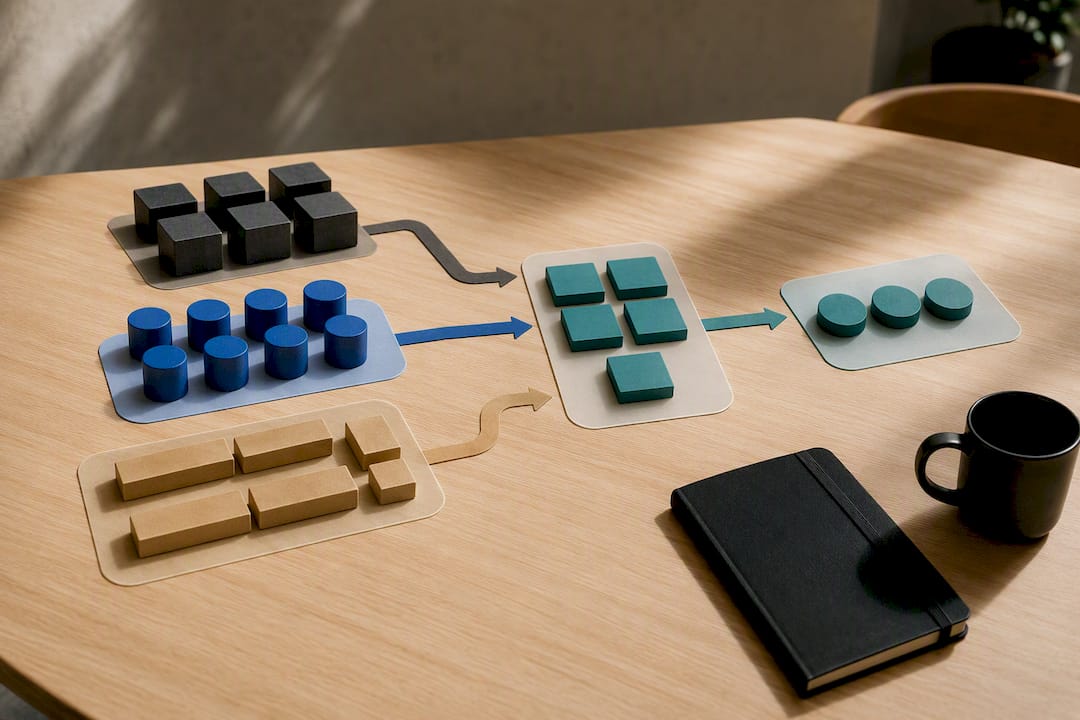
Observation matters more in enterprise contexts than almost anywhere else in UX research. People describe their workflow the way they think it should work, not the way they actually work around a broken step. Watching someone process an invoice reveals the three manual workarounds they never mentioned because they've stopped noticing them.
Cross-role interviews catch the friction that happens at handoffs, the exact point where one person's "done" becomes another person's "just starting." Workflow mapping documents that handoff visually so the whole team, not just the researcher, can see where the process actually breaks.
Enterprise UX research for businesses comes with access problems consumer research rarely faces:
- Recruiting real users usually means going through operational managers, not a public panel, so build extra lead time into your research plan.
- Sensitive data (financial records, patient information, HR files) often needs anonymizing before a session, which takes coordination with IT or compliance.
- Scheduling has to work around live operations, not the other way around; a factory floor doesn't pause for a usability test.
- When true end users are hard to reach early on, internal subject-matter experts can stand in temporarily, but you need to revalidate key assumptions with actual users before you commit to a design direction.
Prioritization is where a lot of enterprise research efforts stall out. Stakeholders will hand you twenty problems and call all of them urgent. Top-task analysis, ranking workflows by frequency and business impact, gives you a defensible way to say "we're fixing this one first" instead of chasing whoever complained most recently.
How Do You Build a Design System That Scales Across Teams?
A design system for enterprise UX design has to function as an operating asset, not a component library someone built once and forgot. That means it needs patterns, content guidance, accessibility expectations, contribution rules, and versioning built in from day one, according to the GOV.UK design system's own accessibility strategy. A shared button style solves almost nothing if ten teams still write ten different validation messages for the same error.
Governance is the part most teams underinvest in, right up until three product teams have quietly forked the same data table component because "the shared one didn't do what we needed fast enough." A working governance model needs:
- Clear ownership — a named team or person accountable for the system's roadmap, not a rotating volunteer effort.
- A contribution pipeline — a defined path for teams to propose new patterns, with review criteria everyone can see.
- Component versioning and migration rules — so updating a shared component doesn't silently break twelve downstream products overnight.
- An exception process — because urgent operational needs will sometimes require bending the rules, and pretending they won't just push teams toward unauthorized forks instead.
Done right, a design system cuts the real cost of maintaining enterprise interface design across dozens of products, because fixing an accessibility issue or updating a data pattern happens once, centrally, instead of team-by-team. It's worth pairing that governance work with resources like this breakdown of enterprise design system ROI and implementation, which walks through how the economics play out over a multi-year rollout. One caution the GOV.UK team is direct about: a design system alone doesn't guarantee accessibility. You still need real testing with real users, including people with disabilities, at the component and workflow level.
What UI Patterns Handle Complex Enterprise Workflows Well?
Complex data and high-stakes actions need interaction patterns built for speed without sacrificing accuracy. A few patterns do most of the heavy lifting across enterprise application usability:
- Bulk actions let a user process 200 records in one motion instead of opening each one, which matters enormously once a dataset crosses a few thousand rows.
- Saved views and smart filters turn a generic table into a personalized workspace, so a claims adjuster and a claims manager can look at the exact same dataset through completely different lenses.
- Predictive search shortens the distance between "I know what I'm looking for" and finding it, especially in databases too large to browse.
- Step-by-step navigation works well for workflows with a genuine start and end point, like onboarding a new vendor, but GOV.UK's own pattern guidance is clear that forcing a linear structure onto an open-ended task like ongoing case management usually backfires.
The decision between a guided, step-by-step flow and an open workflow comes down to one question: does this task have a natural finish line? If yes, sequence it. If the work is really an ongoing state (a support queue, a live inventory dashboard) a flexible, dashboard-style layout will serve users better than forcing them through a checklist that doesn't map to how the work actually happens.
Validation and error recovery deserve just as much attention as the primary interaction. A vague "Error occurred" message on a form that took someone fifteen minutes to fill out is a design failure, not a minor bug. Autosave, clear inline validation, and state preservation across timeouts all matter here.
Testing has to go beyond the happy path. Reloads, permission changes mid-session, failed integrations, and partial saves are the scenarios that actually cause operational failures in enterprise software, and they need to be part of your validation suite, not an afterthought discovered in production. One well-built enterprise app example makes the case concretely: a logistics platform that consolidated six separate tracking tools into one workflow cut the number of screens a dispatcher touched per shipment from nine to three.
How Should You Onboard Users and Support Long-Term Adoption?
Enterprise software rarely gets abandoned in week one the way a consumer app does. It gets quietly under-used for years, with people learning three workarounds instead of the one intended path. Progressive onboarding, tied to feature flag rollouts, beats a single mandatory tutorial almost every time, because it introduces complexity in the order people actually need it, not the order a product team happened to build it.
A little onboarding and support patterns hold up across most enterprise contexts:
- Cohort-based rollout lets you support one group closely before expanding, catching confusing steps before they scale to the whole organization.
- Embedded help at the point of need (inline tooltips, contextual explainer panels) outperforms a separate help center almost every time, because people rarely leave their task to go looking for documentation.
- Searchable documentation still matters as a backstop, for the person who wants a deeper answer than a tooltip can give.
- Live training formats, workshops and customer roundtables, surface adoption problems a support ticket log never will, because people say things out loud in a room that they wouldn't bother typing into a ticket.
Pro Tip: Run a 30-minute customer roundtable within 60 days of any major rollout. You'll hear about the workaround three people have already invented for your "obvious" workflow, and you'll hear it before it becomes permanent habit.
How Do You Measure Success in Enterprise UX Design?
Enterprise usability has to be evaluated at three levels: how one person completes a task, how a group collaborates through a workflow, and how the whole organization absorbs the cost of the system over time. NN/g frames that third level as organizational usability, and it's the one most measurement plans skip, even though it drives total cost of ownership more than any single screen's design.
A workable KPI set usually includes:
| Metric | What it tells you |
|---|---|
| Time-to-complete core workflows | Whether the interface is speeding up or slowing down real work |
| Error rate per workflow | Whether the design is preventing or causing mistakes |
| Support ticket volume tied to a feature | Where confusion or friction is concentrated |
| Feature and workflow adoption rate | Whether people are actually using what you built |
| Total cost of ownership signals (training time, escalations) | The organizational cost the interface creates over time |
Instrumenting these means tagging key workflow events in your analytics setup and reviewing them on a cadence stakeholders actually attend, not burying them in a quarterly report nobody opens. Tying UX KPIs directly to business outcomes, reduced support costs, faster completion, fewer errors, in a dashboard stakeholders can see themselves is what keeps UX investment funded past the first project. Set targets against existing business OKRs rather than inventing UX-only goals that live in a separate spreadsheet nobody on the leadership team ever checks.
What Does a Practical Enterprise UX Project Roadmap Look Like?
Timelines and costs vary by project, but a credible enterprise UX engagement stages the work in a consistent sequence rather than jumping straight to visual design.
- Discovery — workflow mapping, cross-role interviews, and observation, producing a prioritized list of problems and target outcomes.
- Architecture and workflow definition — mapping how roles, permissions, and data move through the system before any screen gets designed.
- Prototyping — building at a fidelity that matches the risk. Low-fidelity wireframes for early direction, clickable prototypes once the workflow logic is settled.
- Validation — testing with representative users on realistic data, including edge cases like failed integrations and permission changes, not just the happy path.
- Implementation and rollout — gated by acceptance criteria set during discovery, with a cohort-based release rather than a full switch-on.
- Continuous measurement — the KPI framework above running on an ongoing basis, not a one-time post-launch survey.
Sizing this roadmap depends on how many roles are involved, how many systems it integrates with, and how much data risk sits behind each workflow. A three-role internal tool and a twelve-role platform touching four legacy systems are not the same project, even if the feature list looks similar on paper.
How Does YS Lootah Tech Apply These Enterprise UX Principles?
The company works across custom software development, UX/UI design, and enterprise application integration for organizations that need business-critical systems to hold up under real operational load. That combination matters for enterprise UX design specifically, because interface decisions here are inseparable from what the underlying architecture, integrations, and data model can support.
The practice incorporates advanced technologies, cloud infrastructure, AI and machine learning, and cybersecurity into projects rather than adding them afterward. That matters when an enterprise workflow touches permissions, sensitive data, and third-party systems all at once, which is common in enterprise software. Readers building or overseeing a similar system can review the UX/UI design services page for a closer look at how discovery, prototyping, and validation come together in practice.
Where Is Enterprise UX Design Headed in 2026?
AI is quietly becoming a UX accelerant rather than a separate feature. Predictive workflows, smart defaults, and anomaly flagging inside dashboards are starting to replace manual triage steps that used to eat an analyst's morning. That shift raises the stakes on governance and measurement, not lowers them: an automated recommendation that's wrong at scale does more damage, faster, than a slow manual process ever could.
Three priorities stand out for UX leaders this year. First, treat your design system as infrastructure with real ownership, not as a side project someone maintains between sprints. Second, instrument workflows for measurement before you launch them, not after adoption numbers already look disappointing. Third, build validation suites that stress-test edge cases like permission changes and failed integrations, because that's where AI-driven automation will fail in ways a happy-path demo never reveals.
The organizations that get this right in 2026 won't be the ones with the flashiest interface. They'll be the ones whose systems keep working when a role changes, an integration times out, or a workflow runs at three times its expected volume.
— YS
How Does YS Lootah Tech Support Your Enterprise UX Project?
Yslootahtech works as the design and engineering partner for enterprise teams who need UX decisions built directly into working software, not handed off as a static file no engineering team ever fully implements.

A first engagement typically starts small on purpose: a short discovery phase to map your actual roles and workflows, followed by a scoped, clickable prototype you can put in front of stakeholders and real users before committing to full build-out. That sequencing matters because it catches workflow and permission problems while they're still cheap to fix, not after a development team has already built around a flawed assumption. From there, UX/UI design work moves into application development with the same team carrying context forward, so nothing gets lost in translation between the people who designed the workflow and the people who build it. If your enterprise system needs deeper integration work or ongoing architecture decisions, IT consulting support is available alongside the design work. Reach out through the UX/UI design page to scope a discovery phase for your next enterprise rollout.
Sources
For readers who want to go deeper on any principle covered here:
- 10 Usability heuristics applied to complex applications - NN/g
- GOV.UK accessibility strategy — Design system
FAQ
Is UI/UX a High-Paying Job in Enterprise Settings?
UX roles focused on enterprise and B2B products tend to command strong compensation because the stakes and complexity are higher than most consumer UX work. Enterprise UX design demands research skills, workflow logic, and stakeholder management on top of visual design, which pushes senior roles into leadership-track pay bands at many organizations.
Is UX Getting Replaced by AI?
AI is automating specific tasks inside UX work, like generating initial layout variations or flagging usability issues in test recordings, but it isn't replacing the judgment needed for enterprise UX design. Someone still has to decide which of ten roles a screen should serve first, and AI tools don't carry that organizational context on their own.
What Are the Three Main Types of UX Design?
Most frameworks split UX design into interaction design, information architecture, and visual design, though enterprise practice adds a fourth layer: workflow and systems design, mapping how roles, data, and permissions interact across a process. That fourth layer is what separates enterprise UX design from consumer-focused UX work.
What Are the Seven Pillars of UX Design?
Definitions vary across sources, but a common version includes usefulness, usability, findability, credibility, accessibility, desirability, and value. In enterprise contexts, usability and accessibility carry outsized weight because errors and exclusion have direct operational and legal consequences.
How Do You Choose Which Enterprise UX Metrics to Track First?
Start with metrics tied to your highest-frequency, highest-risk workflows: time-to-complete, error rate, and support ticket volume tend to surface problems fastest. Layer in adoption and total cost of ownership signals once the core workflow metrics are stable and trusted by stakeholders.