Cut Rework in Sprints: 9 Item Design to Development Handoff Checklist

Treat the handoff as continuous collaboration, not a file drop. Deliver a small set of build-ready artifacts (specs, component states, tokens) plus written rationale for every non-obvious decision so developers can start building without pinging you first. The Interaction Design Foundation and Figma's own handoff guidance both point the same direction: handoffs that happen incrementally across a sprint outperform a single, dramatic "here's the Figma file" moment every time.
TL;DR:
- A comprehensive design handoff must include detailed specs, component states, interaction behaviors, accessibility considerations, and clear design rationale to avoid misunderstandings.
- Incremental, sprint-by-sprint handoffs with documented approval and complete states reduce rework and enable earlier developer engagement.
- Using consistent component naming, a single source of truth, and version tracking prevents confusion and mismatched builds.
- Conducting short, focused walkthroughs that cover scope, tricky interactions, and API dependencies ensures clarity and reduces post-handoff questions.
- Collaborating with a team that handles both design and development from the start minimizes friction and streamlines the entire process.
Table of Contents
- What to Include in a Design to Development Handoff
- When Is a Design Actually Ready to Hand Off?
- How Do You Run a Handoff Walkthrough?
- Which Tools Actually Reduce Handoff Friction?
- Common Handoff Failures and How to Fix Them Fast
- The Ready-for-Dev Checklist You Can Copy Right Now
- How Yslootahtech Structures a Design to Development Handoff
- Accessibility Requirements and Design Tokens
- How Do You Track Feedback After the Handoff?
- Managing Versions During the Handoff Process
- How Do You Communicate Clearly During a Handoff?
- Author Perspective: Pragmatic Trade-Offs Between Fidelity and Speed
- Let Yslootahtech Handle Your Design to Development Handoff
- Sources
- FAQ
What to Include in a Design to Development Handoff
Developers don't need more Figma comments. They need a defined, complete set of artifacts they can build from without a Slack thread. According to UXGuides, the essentials break down into five categories: screen specifications, component variants and states, interaction behavior, accessibility requirements, and documented design rationale.
Here's what that looks like in practice, not in theory:
- Spec values. Exact spacing, corner radius, font size, line height, and color values, ideally pulled from tokens rather than typed by hand.
- Component variants. Every button state (default, hover, active, disabled, loading) as its own labeled frame, not a mental note.
- Full state frames. Empty, loading, error, and permission denied views for every screen, not just the happy path.
- Interaction behavior. What happens on tap, swipe, scroll, or timeout, written in plain language next to the element it affects.
- Exported assets. Icons and images at the right resolution and format, named to match their code counterpart.
The "why" matters as much as the "what." A button that looks slightly inconsistent might be a deliberate trade-off for a specific device size, or it might be an oversight. Developers can't tell the difference unless you tell them. Miro's research on handoff friction found that tools automate the values and the assets but almost never the reasoning. That's still a human job. Write a two or three line note directly on the frame: what triggers this state, what it depends on (an API call, a permission check), and what happens if it fails.
Naming conventions matter more than most designers assume. If your Figma layer is called "Button/Primary/Large" and the code component is called PrimaryButton, a developer has to guess whether those are the same thing. They usually are, but "usually" is where rework comes from.
Pro Tip: Match your Figma component names to your code component names character for character wherever possible. If your design system calls it "CardElevated," don't let the frame say "Card (shadow version)." That five-second inconsistency is exactly what turns a 10-minute build into a 40-minute Slack thread.
Teams that keep a living checklist for this tend to catch the gaps before a developer does. A UI/UX design checklist is available for exactly that kind of pre-handoff sweep.
When Is a Design Actually Ready to Hand Off?
"Ready for dev" isn't a feeling. It's a checklist, and it should be a short one. A design is ready when it clears these gates:
- Stakeholder approval is documented, not implied. Someone with authority signed off, and it's written somewhere other than your memory.
- All states exist as frames. Empty, loading, error, success, and permission denied are not optional extras.
- Tokens are applied, not eyeballed. Colors, spacing, and typography reference the design system rather than one-off values.
- A working prototype link exists for any flow with more than one screen or a non-trivial interaction.
- Acceptance criteria are written down, ideally in the same ticket the developer will actually open.
The bigger question is timing: do you hand off the whole feature at once, or piece by piece as sprints progress? Iterative, sprint-boundary handoffs consistently produce less rework than one large waterfall-style transfer, according to the Interaction Design Foundation's design handoff research. If a feature spans three sprints, hand off what's ready at the end of each one rather than sitting on everything until the whole flow is polished. Developers start building sooner, and you catch misunderstandings while they're still cheap to fix.
Final, big-bang handoffs still make sense for small, self-contained features that will only ever touch one sprint. For anything larger, incremental wins make more sense.
Ownership needs to be explicit too. The designer marks a screen "ready" in Figma (a status label or a dedicated page works fine). The product manager confirms the acceptance criteria match the ticket. The developer confirms they can build from what's there without additional questions. If any of those three people hasn't signed off, it isn't ready, no matter how finished it looks.
How Do You Run a Handoff Walkthrough?
A walkthrough shouldn't be a meeting where you read the Figma file out loud. It should take 15 to 30 minutes and answer the questions a developer would otherwise ask one at a time over the next three days.
A tight agenda covers:
- Scope: what's included in this handoff and what's explicitly deferred to later.
- Tricky interactions: anything with conditional logic, animation, or a non-obvious trigger.
- API dependencies: which endpoints feed which components, and what happens on failure.
- State coverage: a quick tour of loading, empty, and error frames so nobody has to hunt for them later.
- Acceptance criteria: read them out loud, because ambiguity hides in phrasing more often than in pixels.
Not every handoff needs a live meeting. A recorded narration walkthrough works well for async teams across time zones. An annotated file tour, where every non-obvious element has a comment attached, works when the feature is simple enough that a recording feels like overkill. For anything with real complexity, flows, conditional states, edge cases, a shared logic layer like Miro tends to outperform both. Miro's handoff guidance makes the case directly: documenting flows and edge cases in a shared workspace prevents the tool-switching and context loss that plague file-only handoffs.
Whatever format you choose, follow-ups need one home, not five. A single comment thread in the design file, a changelog entry, or a shared doc works. What doesn't work is a question buried in a Slack DM that nobody else on the team can see or resolve later.
Which Tools Actually Reduce Handoff Friction?
Figma's Dev Mode automates a lot: spacing, typography, variable names, and code snippets a developer can copy directly. What it doesn't automate is intent. Figma's own developer handbook is candid about this: Dev Mode exposes values, but interaction logic and edge-case behavior still need to be written by a human, in plain language, next to the element they describe.
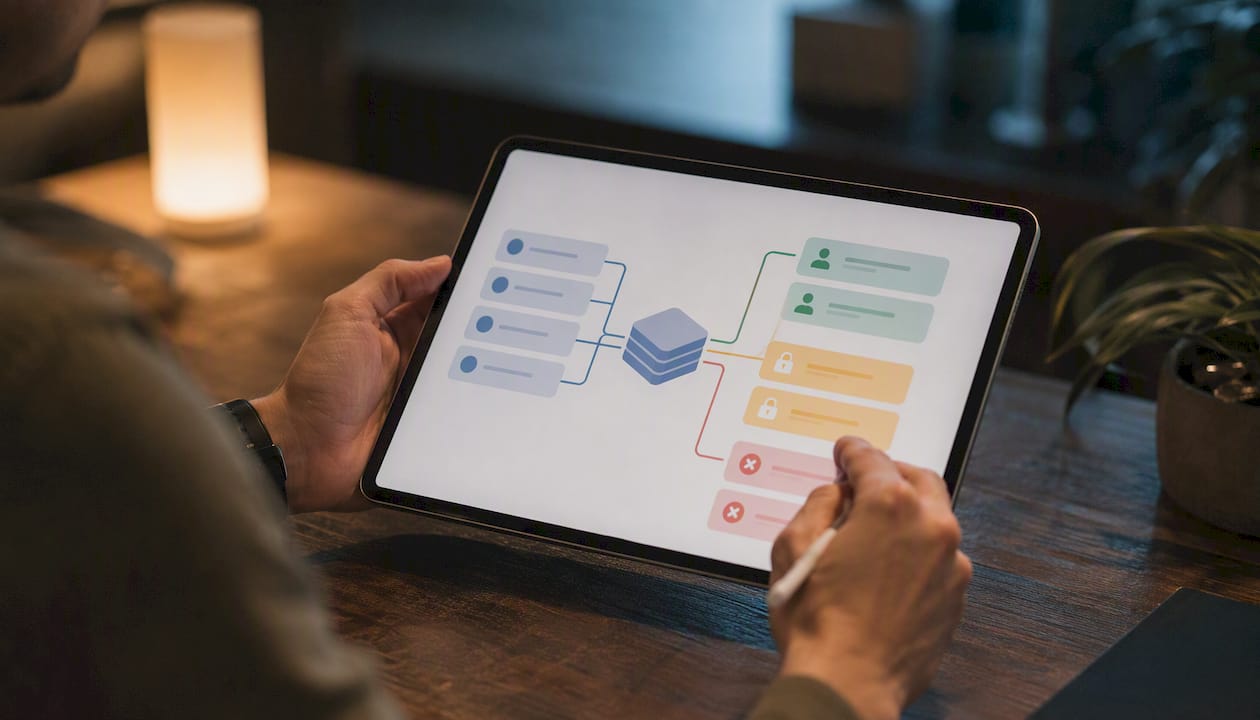
That gap is where a logic layer earns its place. Tools like Miro work well for mapping multi-step flows, conditional branches, and edge cases that a static Figma frame can't show on its own. If a screen behaves differently based on user role, permission state, or a failed API call, that logic belongs somewhere a developer will actually look before writing code, not buried three clicks deep in a component's variant list.
Component libraries close the last gap. Linking Figma components to their Storybook counterparts, or to whatever component library your stack uses, gives designers and developers a shared reference point. Comparing the two main approaches, UXGuides notes that Dev Mode alone is sufficient for most teams, while Storybook plus a linked component library provides stronger guardrails for larger or more complex products.
A few habits keep files from turning into a guessing game:
- Name Figma components to match code components exactly, not approximately.
- Archive or delete outdated frames instead of leaving five versions of the same screen in the file.
- Export assets at final resolution with names that match what the codebase expects.
- Keep a single "source of truth" page and label everything else clearly as exploration or archive.
Pro Tip: If more than one file could plausibly be "the real one," that's not a minor housekeeping issue, it's the single most common cause of a developer building the wrong version. Fix it before you fix anything else.
Common Handoff Failures and How to Fix Them Fast
Most handoff problems trace back to a small handful of repeat offenders. Here's what actually goes wrong, and the fix that takes less time than the mistake does:
- Missing states. A developer hits an empty list or a failed API call with no frame to reference, then builds their own guess. Storyflow's research on handoff checklists identifies unknown states as the single most common failure point in the entire process. The fix: attach empty, loading, error, and permission-denied frames to every screen before it ships to dev.
- Token drift. Colors or spacing get eyeballed instead of pulled from the design system, and the build ends up slightly, maddeningly off. The fix: audit every screen against tokens before handoff, not after a developer flags the mismatch.
- Ambiguous interactions. "Tap to expand" doesn't say what happens on double tap, on error, or on a slow connection. The fix: a two or three line annotation per interactive element covering trigger, effect, and failure behavior.
- Scattered communication. Questions land in five different channels, and nobody has the full picture. The fix: one thread, one file, one place for follow-ups.
Run a 15 minute pre-handoff audit before every walkthrough, and check specifically for these three: missing states, token drift, and ambiguous interactions. That single habit catches the majority of what would otherwise surface mid-sprint as a developer question. Teams that formalize this with a short design review, even five minutes, before every handoff tend to see the same failures far less often. A UI/UX improvement playbook covers this kind of review cadence in more depth.
The Ready-for-Dev Checklist You Can Copy Right Now
This is the checklist version of everything above, structured to paste directly into a ticket, a pull request description, or a checklist widget in your project management tool.
- File cleanup. Archive outdated frames; label the current source of truth clearly.
- Tokens applied. Every color, spacing value, and font pulled from the design system, not typed manually.
- All states designed. Empty, loading, error, success, and permission denied frames exist for every screen.
- Prototype linked. A working click-through exists for any multi-step or conditional flow.
- Assets exported. Final resolution, correct format, named to match code components.
- Annotations added. Trigger, effect, and failure behavior noted on every interactive element.
- Accessibility checked. Contrast ratios, focus states, and label text confirmed.
- Acceptance criteria written. In the ticket, in plain language, matching what was demoed.
- QA sync scheduled. QA has seen the states and knows what "correct" looks like before testing starts.
Assign an owner to each line before the sprint starts. Tokens and states are the designer's job. Acceptance criteria are the PM's job. QA sync is a shared responsibility between the developer and QA. When this checklist lives inside the sprint ticket itself, "done" stops being a matter of opinion. A mobile app design workflow guide walks through how this fits into a full sprint cycle if you want the longer version.
How Yslootahtech Structures a Design to Development Handoff
Yslootahtech brings developers into a project during the design phase itself, not after the first prototype is finished. That early involvement means engineering flags feasibility questions before they become rework. Design tokens get defined once and mapped directly to component libraries, including Storybook where a client's stack supports it, so a "Primary Button" in Figma and in code are provably the same object.
Every interactive prototype handed to a client's development team carries inline annotations covering trigger, behavior, and failure state, the same standard this article recommends throughout. A structured QA loop closes the cycle: developers flag mismatches against the design file, and those get resolved in the same thread rather than scattered across channels. It's the same discipline behind Yslootahtech's UX/UI design work, applied to every handoff, not just the flagship ones.
Accessibility Requirements and Design Tokens
Accessibility can't live as a checklist item added at the end. It belongs in the tokens themselves. Color tokens should carry contrast ratios that meet WCAG AA at minimum for body text, and that check needs to happen when the token is defined, not when a developer stumbles onto a failing combination in production.
A few specifics matter more than the rest:
- Contrast tokens. If your design system defines a text color token, its contrast against every background it's used on should already be verified, not left to chance per screen.
- Focus states. Every interactive element needs a visible focus indicator as its own documented state, the same way you'd document hover or active.
- Touch targets. Minimum tap area sizes belong in the spec sheet, not in a developer's judgment call.
- Label text. Icons without visible labels need an accessible name documented in the annotation, not assumed from context.
Accessibility work also carries a direct SEO benefit for public-facing products, since many of the same practices, clear labeling, logical structure, sufficient contrast, that improve usability for people with disabilities also improve how search engines parse a page. That's a reasonable secondary argument for treating accessibility as a first-class token category rather than a post-launch patch.
Bake accessibility tokens into the same design system file as your color and spacing tokens. That way, a developer pulling a token automatically inherits a value that already passes the bar, instead of relying on a separate accessibility audit to catch failures after the screen ships.
How Do You Track Feedback After the Handoff?
Handoff isn't the finish line. It's the point where feedback starts arriving in a different shape, bug reports instead of design comments, and teams that don't plan for that shift lose the thread fast.
Keep feedback in one place, ideally the same workspace the handoff itself lived in. DesignOps.tools' research on handoff checklists found that embedding checklists and follow-up threads directly inside the design file, rather than scattering them across separate tools, prevents the context loss that otherwise creeps in as a project moves from design into active development.
In practice, that means a developer who finds a mismatch between the build and the spec logs it against the original frame, not in a new, disconnected bug ticket with no link back to the design decision behind it. A short changelog at the top of the file, dated and one line per entry, keeps everyone honest about what's changed since the walkthrough.
Set a lightweight cadence for review: a 15 minute sync once a sprint where design and engineering walk through what shipped versus what was specced. Most drift is minor, a spacing value that got rounded, a state that got skipped under deadline pressure, but it compounds if nobody's looking. Catching it weekly costs almost nothing. Catching it at launch costs a rebuild.
Managing Versions During the Handoff Process
Version confusion is one of the quieter ways handoffs go sideways. A developer builds from a screen that got redesigned two days ago, because nobody archived the old one or made clear which frame was current.
The fix is procedural, not technical. Keep a single labeled "current" page in your design file, separate from exploration, archive, and in-progress work. Any time a frame that's already been handed off changes, log it in a changelog visible to the whole team, not just in your own version history. Figma's built-in version history is useful for recovering an old state, but it's a poor substitute for a changelog a developer would actually think to check.
Tie design versions to the same sprint or ticket numbering your development team already uses. If a screen changes mid-sprint after handoff, that change should reference the same ticket ID the original build work is tracked under, so nobody has to reverse-engineer which version shipped. This is also where incremental, sprint-boundary handoffs pay off again: smaller batches of change are easier to version cleanly than one enormous, all-at-once transfer where a dozen screens change at slightly different times.
How Do You Communicate Clearly During a Handoff?
Most handoff friction isn't a skills gap. It's a vocabulary gap. Designers think in terms of visual and interaction fidelity. Developers think in terms of performance, architecture, and what's maintainable six months from now. Neither is wrong, but talking past each other wastes real time, and Figma's developer handbook points to shared vocabulary and early technical input as the two things that close that gap fastest.
Practically, that means inviting a developer into design reviews before the file is "finished," not after. A five-minute flag about feasibility during design saves a much longer conversation about rework during the sprint. It also means writing annotations in language a developer would use, "on tap, call /api/submit, show spinner, then redirect on success," rather than design-only phrasing like "smooth transition to next state."
Keep communication in as few channels as possible. A comment on the actual frame beats a Slack message, which beats a verbal aside in standup that nobody remembers by Thursday. When a decision does get made in conversation, write it down somewhere permanent within the hour, while it's still fresh enough to phrase accurately.
Author Perspective: Pragmatic Trade-Offs Between Fidelity and Speed
Pixel-perfect fidelity is sometimes the wrong goal. If a deadline is tight, it's often smarter to ship an 90% match with all states covered than a flawless happy path missing error handling entirely. The habits that fix handoffs aren't tools, they're culture: invite developers early, agree on shared vocabulary, and keep a designer reachable mid-sprint. If you remember one rule, make it this: every screen needs its non-happy-path states before it leaves your file.
— YS
Let Yslootahtech Handle Your Design to Development Handoff
Most of the friction covered above disappears when the same team owns design and delivery. Yslootahtech combines UX/UI design, clickable prototypes, and full application development under one roof, so the handoff you've been reading about isn't a separate, risky step, it's built into the process from the first sprint.

Instead of exporting a Figma file to a separate dev shop and hoping the states and tokens survive the transfer, you get a team that annotates rationale, maps components to code, and runs the walkthrough as part of delivery rather than as a handoff to someone else. That's the practical difference between hiring for design and development as two separate contracts and hiring one team to do both without a rework tax in between. Explore UX/UI Design or Application Development services, and request a prototype walkthrough to see exactly how a build-ready handoff looks before your next sprint starts.
Sources
- IxDF — Design handoffs (overview)
- UXGuides — How to handoff designs to developers
- Miro — Design hand-off guide
- Figma — The designer’s handbook for developer handoff
FAQ
How Do You Hand Off Designs to Developers?
Share build-ready artifacts, specs, component states, tokens, and prototype links, along with written rationale for non-obvious decisions, then walk the developer through tricky interactions live or async.
What Does "Design Handoff" Mean?
Design handoff is the process of transferring finished design work, along with its specifications, states, and reasoning, from designers to developers so a feature can be built accurately without repeated back-and-forth.
What Are the Stages of the Design Process?
Common frameworks describe stages like discovery, design, prototyping, handoff, and post-launch iteration, though the exact number and naming vary by team and methodology.
What Is a "Handoff" in a Software Project?
A handoff is the point where ownership of a deliverable, like a finished screen or flow, moves from one role to another, most often from designer to developer, along with the context needed to build it correctly.
Does Yslootahtech Offer Design to Development Handoff Services?
Yes. Yslootahtech's UX/UI Design and Application Development services are structured to hand off annotated, token-based designs directly into development with minimal rework.